
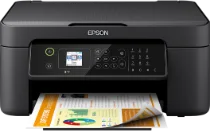
The Epson WorkForce wf-2820dwf Driver is a fantastic machine component and determines its effectiveness. The Driver influences the machine’s ability to print, scan, copy, and fax. For instance, it has a print resolution of up to 5,760 x 1,440 dpi and supports a double-sided printing unit (Duplex). Also, the monochrome Speed is up to 33ppm monoprint, and the color speed is up to 18ppm color print. It also supports borderless printing and Automatic Double Sided printing. On the other hand, the scanner resolution is up to 1200×2400 dpi scan, and the scan destination is either scanned to the computer or scanned using WSD.
Epson workforce wf-2820dwf Drivers for Windows
6221c70571930c307f465f9c6ff2b0a57af6c82ab35195485cc24ec915a6a827142cd98eea60c8877a5a14f84436bdc7656aa24ac423a762092a1941c85416bed26e6c05e28dcc493db9dd44608acfaac2508fa4c4d47316916e2890a52fbff3d3e5110e180ce1176601c7ca1091d716cf0a868fe1100662a2ce75352737c5f9e296b0dd6f562045ca62037185b78ea08935c2397617465e6551a239e6f13b6cEpson workforce wf-2820dwf Drivers for macOS
dc02d5f923d595706bde00493bce0f3ce514b8f7cfaf02a0ea81b0acf55da635381336bd0e94ef4ffc30a991141994f4ffdc2f8b9c0ef4bfacf6b939d7c87cb490071b11984600791b1ab1b58f654ee83a3a90fed5e5b6be2162f41461badfc7Epson WorkForce wf-2820dwf Specifications
The Epson WorkForce wf-2820dwf supports both the scan facility and copy facility. The compatible scan file formats comprise JPEG, PDF, TIFF, and Multi-TIFF, and the color scan speed is as fast as 2.2 milliseconds per line. In addition, monochrome scan speed is as quick as seven milliseconds per line, and the supported scanner type is Contact Image Sensor (CIS). Furthermore, the fax function includes PC Fax, Memory Reception, Auto redial, and Speed Dial.
Also, the speed dials are up to 60 names and numbers, and the fax memory is up to 100 pages. Meanwhile, the compatible Fax type includes Walk-Up Black and White and Color Fax capability. Furthermore, the paper handling input one can accommodate 100 sheets, and the supported duplex media size is A4. In addition, the maximum Duplex paper weight is 90gsm while the maximum paper weight is 300gsm.
On the other hand, the supported media sizes are A4 (21.0×29.7 cm), A5 (14.8×21.0cm), A6 (10.5×14.8cm), and B5 (17.6×25.7cm). Also, it is compatible with C6 (Envelope), 10x15cm, 13x18cm, 16:9, Letter, Letter, Legal, DL (Envelope), and No.10 (Envelope). At the same time, it supports a minimum paper weight of 64gsm, and its duty cycle is up to 3,000 pages per month.
Technical Details
| Title | Epson workforce wf-2820dwf Drivers |
|---|---|
| Device Type | All-in-one printer |
| Driver Version | Varies by driver and operating system |
| Available Downloads | Drivers |
| License | Free |
| Manufacturer | Seiko Epson Corporation |