
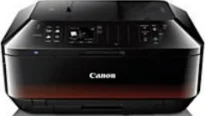
Users can acquire a large print output with the Canon PIXMA MX922 printer model and at an incredible speed. For instance, the rate of printing a borderless photo is about 21 seconds on average. Furthermore, black document printing in the ESAT mode is about 15.0 images per minute. But the color documents run at the rate of 10.0 ipm. It also contains 5120 print nozzles, which comprise 1024 nozzles for black and 4096 nozzles for color documents.
Canon PIXMA MX922 driver Downloads for Microsoft Windows 32-bit – 64-bit and Macintosh Operating System.
Canon PIXMA MX922 Drivers for Windows
8d77363855da20157422dff6d720b564297a6f8d77989c9b9f7b33a9164a70cd051d2595b5fc0ab6f28571b8d90852fcc97c15255bd9de0a170e2397ae638caf8dd427942e8e31c574841b714286f9171dafe7b49dd781ec9b62ff0cc61cf1a415e26104a051d3f79061242bb8114e3d81f35bbe709d14bb07a6284eb01471d03272526ce78ea9e9d032e6dce9ef266c09db58a16921f07642e4f4224c9981e4Canon PIXMA MX922 Drivers for macOS
9ca5170bd59ba4becf9477b21b3a92bd3b0d79eeaf1989eb5d8ea3357d50a8380961f013633351953507d0f835e0226e93ccd13fadfa60c3abe6d02fc777d462758d7c7e2a71c32ddf1f246d3c12b8886d6894fe1deac2da8609e4f971e623d76cd502b86c6ffe91c569b78de44023b9ae468334ced3b9920ccfef7635a8e08d5743851edadfbb0b8f69c53b46a0b5670389a0e11a69f1bab02385bf178a3fc59fbcbf1755f4d25b0225b91065eac6e326da29b7a7f7dfa374bcdf9e4c9361aa5743851edadfbb0b8f69c53b46a0b5670389a0e11a69f1bab02385bf178a3fc5c168dc69bbca4c3a609469de1fde06c0007182882d6564dbd26d077047f42a644a3b2bfa566018eacc90fe00a1108ecd9ea185d76c5e1b7be692ba88d567b83df9a2865da420df0d3495a1bead29b3ea5c39fb1fbb650bf273d5b689772b494a4cea4c5c8a6e8967c240218260b3c88512e306570c4268778792de03e74db1910966ce7dc03b277508320ef5fd70712746beef1f4f2f39d71d6dfa7902c01d1bCanon PIXMA MX922 Drivers for Linux
822412389866de3a2478c88338272163ab686e787a30e7127582401aaaa25ca1962189f7d3ccc285b128c982950dc8df30f0a291c1d04a3d5cdcaae1e04f86804f2c4dd169ffe9b86748bba3b7e21e11d32501922ceddac6e3e630f7dcced36f44f7e0ae35093c3c79021ce35faa8d23e013ef7cdc183e395e877965ff6957c0bae404242e8ae09821e11eefdbb28895d7fd3fa0c2933a364c16fa69c0f469e0cf9baa3d0bc5c58db09c0d1b0ac2e312b564f4436fef84bd11fcc0c5f8423ba2Canon PIXMA MX922 Specifications
Supported Ink Cartridges
PGI-250 Pigment Black Ink Cartridge
CLI-251 Cyan Ink Cartridge
CLI-251 Magenta Ink Cartridge
Yellow Inkjet Cartridge CLI-251
CLI-251 Black Ink Cartridge
The minimum ink droplet size of the machine includes 1, 2, and 5 picoliters. The device’s print resolution is about 600 x 600 dots per inch (dpi) on average. However, color printing can produce an output resolution of up to 9600 x 2400 dpi, resulting from the automatic image refinement (AIR) element. The compatible cartridge models include PGI-255, PGI-250, and CLI-251 models. At the same time, it supports the XXL variants of these models.
The compatible standard paper sizes include photo sizes, legal, letter, and envelope sizes. Besides, the Canon PIXMA MX922 printer has an automatic document feeder (ADF) that can hold up to 35 sheets of plain paper. On the other hand, for photo paper sizes, the limit is up to 10 sheets. Concerning the paper compatibility, the options include plain paper, high-resolution paper, and super high gloss. Others include photo paper pro platinum, photo paper plus glossy II, matte photo paper, and US envelopes.
Some of the notable printer features include the Apple AirPrint, an automatic duplex or double-sided printing, and an auto sheet feeder. Others include Google Cloud Print, photo printing, Evernote, document printing, full HD movie print, and template print. This machine’s output tray has a lower cassette that can hold up to 250 printed paper sheets. At the same time, the upper cassette can hold up to 20 sheets of photo paper.
Technical Details
| Title | Canon PIXMA MX922 Drivers |
|---|---|
| Device Type | All-in-one printer |
| Driver Version | Varies by driver and operating system |
| Available Downloads | Drivers |
| License | Free |
| Manufacturer | Canon Inc. |