
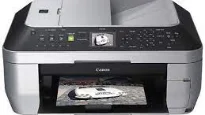
The Canon PIXMA MX868 model is a top choice of photo printer, with its set of amazing qualities par excellence. It has a maximum print resolution of about 9600 (horizontal) x 2400 (vertical) dots per inch (dpi). However, the ink droplets are placeable with a pitch of 1/9600 inch at the minimum level. Also, the supported print width is about 8 inches, which is equivalent to 203.2 mm for bordered printing. But borderless printing is about 8.5 inches, which is about 216 mm.
Canon PIXMA MX868 Drivers for Windows
e2ad038bb75a2950370336f191fee235123aa8bfbdbcfca8487964cef68dcb94c30bc7f02536eb3cfa0935eda48c4fd9d795f538e255afa7b4d4ad014cf9a9a2a3b7a30a49c6bdb13abde211bd5807288cda789d4989106c548898566842447d9c4f2946bcb9b7735d76f24dc8f1f175e7d7824e8ac4e226f791f31831c3cbceCanon PIXMA MX868 Drivers for macOS
ed2f9c0d5e2b04aaf622ac3fd4b2a86d36b8f9eee0fe369fb4919905723f0967ed4fe6e4e3a51ebb1c42bf9a0c0a584b1484c3d8f338b3852095fcacd05754d946f2ee20e30775cc10b101c189700f18b5a8386f688a1fa939ff7cd3b9f2a6a37c9f94e00ab53a4395b13db9d7a8fd7c651fc01c95d2077c3a3773d053bd106436584ef6151b4b5a39b848e59859c83565ddced4b57488098f6a90c267016b315676576ac59bcf010230b04e385525a8eaa737c040a6f5f502735a087016c3ff3d4310bd1df9d139c1341cdf5ad823941c12422e0c106300f8f8a755e8b5d0bbCanon PIXMA MX868 Drivers for Linux
f134acec10a9a71db92364af35ad5ce3ec8f6606bd1234703c6f248adfbfb6b86047faf3036661183cfb2b29f89594559873996f7d086a2dcd41e13c00bc0193857c459c88e266e0a96627685daf195d1290cde56e5cab891a1ae6be799319f6380ab951c92ad017bd0b8d80f791c91d72317acbad3cccc93b94da36e3797ec503facc4d35e2598643578b8ab54da0ce9a54681ac804bc35ff71c143f7bd04d3a752b6e71b1e5db13a17a383710e71d6e410dd36c10ebcd73987733197f15c76Canon PIXMA MX868 driver Downloads for Microsoft Windows 32-bit – 64-bit and Macintosh Operating System.
In the same way, the standard interface options include a USB port using a hi-speed USB cable. Besides, it also has a direct print port through a PictBridge Bluetooth v2.0 option. The machine Canon PIXMA MX868 can also work with USB flash drives with a LAN port through wired LAN, using 100 Base-TX/10Base-T components. The maximum acceptable speed for the connection is about 1.44 Mbps while it supports JPEG and PNG formats.
The acoustic noise level from this Canon PIXMA MX868 machine is approximately 43.5 dB(A) when printing is in the standard print quality mode. This rate also applies to the use of Photo paper plus glossy II. Similarly, in a typical working environment, this printer requires a temperature range between 5 and 35°C. Also, the relative humidity is between 10 and 90%, with no condensation for operations.
On the flip side, when the machine is in storage, relative humidity should be between 5 and 95% with no condensation. Besides, the power supply is between 100 and 240 volts for AC power with a frequency of 50/60 Hz. Conversely, the power consumption is about 21 watts for the copying and printing mode. Standby mode uses about 4.1 watts, while the ‘off’ mode requires 1.6 watts of power. This machine weighs about 11.8 kg, which is approximately 26.1 lbs with the ink tank in place.
Technical Details
| Title | Canon PIXMA MX868 Drivers |
|---|---|
| Device Type | All-in-one printer |
| Driver Version | Varies by driver and operating system |
| Available Downloads | Drivers |
| License | Free |
| Manufacturer | Canon Inc. |