
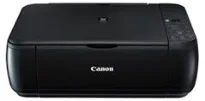
The printer, Canon PIXMA MP287, has a maximum printing resolution of 4800 (horizontal) x 1200 (vertical) dots per inch (dpi). It also has the FINE cartridge type of printhead or ink tank with a total of 1472 nozzles for printing. This cartridge also comprises different model options including PG-810 and CL-811. On the other hand, the optional print cartridge models are PG-810XL and CL-811XL. Also, the minimum volume of the ink droplet is about two picoliters (pl).
Canon PIXMA MP287 driver Downloads for Microsoft Windows 32-bit – 64-bit and Macintosh Operating System.
Canon PIXMA MP287 Drivers for Windows
d02f6b2aef2bb28e5be22365852b48f60232af930e2426a541fac8f1923ce6c22127438fab29f439d5bdb17704b76ab311ba7e9b61576ed2aeab35484e449e088dd427942e8e31c574841b714286f9171dafe7b49dd781ec9b62ff0cc61cf1a415e26104a051d3f79061242bb8114e3d81f35bbe709d14bb07a6284eb01471d0Canon PIXMA MP287 Drivers for macOS
d3436079312fb6923a758e4df866ded6eb06f483709af43c070ebf5a4d840aebc25e063e8a2a7977c99654257c1a1d628bb460ecef98124860dfceda208cea3e3007eff984a7b45fdcc251ed3b50e22c2a6e2367342b4141237e9b931363fd1220883d8e9410410235d6221e33b87476476670c2e57ea9dff2758979211fdbb846f2ee20e30775cc10b101c189700f18b5a8386f688a1fa939ff7cd3b9f2a6a3cfe82dd2ea561cf2557f4c2d53815a15f23701799db89964cf424bb6572ac2bb46f2ee20e30775cc10b101c189700f18b5a8386f688a1fa939ff7cd3b9f2a6a32e81c3ed0dc3d00e32979a9c0fbbb79b9c3933e39f2ebc168cd94010df605863189c7d622d017b090b42ab2540bd99690b722fa81596000cb10164b7487facb35676576ac59bcf010230b04e385525a8eaa737c040a6f5f502735a087016c3ff655a6f0976de67f92e80fc94f3e0b44cedfb37ad4c627703f3397f287d30d20eCanon PIXMA MP287 Drivers for Linux
15580bc0cb112cd45fbfb9ab3ee181a2d1a37d6a8eb72c6a109be0e041b1094544bef94b1f202fbbc92687e837caef28db33df53980b4f287bae164f48b893b4a95dd4ca491a9e8acc3e4ee35cc84904680e82d89ff04a23dda1b0ccffbb8a7a897d7288ab1d1186a132ad4f1dc8499bf27f510cc5c52b09961c4695395869e04b2852c0728600ea9d9440ceb6db0a01d8c8840eb9056be8415cc6d553dfe1cafab6b764409f17a674ba31e45a515353cdf027562b2daee96c316bb86d6d6340Canon PIXMA MP287 Supported Ink Catridges
Colors Cyan, Yellow, Magenta Ink Cartridges CL-811, Pigment Black Ink Cartridge PG-810
The rate of color printing reaches approximately 4.8 pages per minute (ppm) according to the ISO/IEC 24734 standard; a black and white sheet is printed at the speed of 8.4 ppm according to the same standard. Photo printing for 4 x 6 size runs at approximately 43 seconds when printing in the bordered mode. Borderless printing allows a printable width of up to 216 mm, which is about 8.5 inches.
At the same time, the recommended printing areas should leave a top margin of 31.2 mm. Similarly, the bottom margin is about 32.5 mm with support for diverse paper sizes. The supported standard paper sizes include A4, A5, B5, letter, legal, envelopes, and photo paper sizes. In terms of the media types, the compatible choices include plain paper, high-resolution paper, and photo paper pro Platinum.
Others include matte photo paper, glossy photo paper “everyday use” and photo paper plus semi-gloss. In terms of the paperweight, the rear tray can accommodate a weight between 64 and 105 gsm. But with the Canon specialty paper, the maximum paperweight is approximately 300 gsm. Its ink end sensor also uses the dot count while the print head is a manual type. Concerning the scanning, it uses the flatbed type of scanner with the Contact Image Sensor (CIS) element for quality output.
Technical Details
| Title | Canon PIXMA MP287 Drivers |
|---|---|
| Device Type | All-in-one printer |
| Driver Version | Varies by driver and operating system |
| Available Downloads | Drivers |
| License | Free |
| Manufacturer | Canon Inc. |