
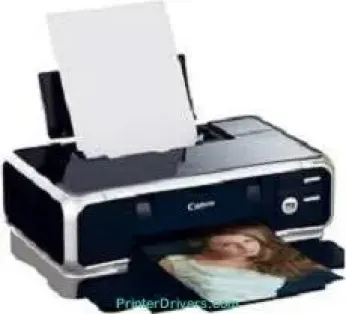
The Canon PIXMA iP8500 model is a classic photo printer with the ability to produce photos of exceptional quality. The rate of printing also depends on whether the machine is creating black documents or colored documents. For instance, black print runs approximately 3.8 seconds per page, about 16 pages per minute (ppm). On the other hand, color printing is at a rate of 5 seconds per page, about 12 ppm. The average speed of borderless printing for the standard photo sizes is about 21 seconds per page.
Canon PIXMA iP8500 driver Downloads for Microsoft Windows 32-bit – 64-bit and Macintosh Operating System.
Canon PIXMA iP8500 Drivers for Windows
65e347166bed5db1ed757047cbbf64fa73c471f137aa6b22d3ae7de15d6927a0f52038fc3cd91db9bc721b23b7018d2d702e9fa62d8b5d2e6b8c8775c28a684a59c85c6c93aabfc68a15d6b80666b3e8c336d0f08a3a21874732f244a5fd5e09Canon PIXMA iP8500 Drivers for macOS
b2f321627c58c9b35134b7d973b0767ea4faafa7d897c59814c8c52466760db891de2b1fc3e38772e231d664c67be17935d0fb50c4371cdcc4d31c9e0ca02af5Canon PIXMA iP8500 Supported Ink Catridges
Black Ink Cartridge BCI-6Bk, Ink Cartridge Cyan BCI-6C, Yellow Ink Cartridge BCI-6Y, Ink Cartridge Magenta BCI-6M, BCI-6R Red Ink Cartridge, Ink Cartridge Green BCI-6G, Photo Cyan Ink Cartridge BCI-6PC, Ink Cartridge BCI-6PM Photo Magenta
Specifications
The machine can produce a maximum print resolution of up to 4800 x 2400 dots per inch (dpi) for black printing. Color printing, on the other hand, runs at the same resolution at optimum printer performance. Furthermore, some of the compatible operating versions include Windows 7, XP, Me, 2000, and Windows 98. Apart from Windows OS, the other variants include Mac OS 9.x, Mac OS X v10.2.1 to 10.3.x.
The standard interface options for printing are also through the USB 2.0 hi-speed port and direct print port. However, the manufacturer does not include compatible cables for distribution. Also, the printer’s compatible ink tanks are BCI-6BK/C/M/Y/PC/PM/R/G, where each has its specific color. The minimum ink droplet size is about two picoliters (pl) with a buffer RAM of about 80 kb. Its compatible standard paper sizes include legal, letter, credit card, envelopes, and photo sizes.
Physically, the machine weighs up to 15.4 lbs while the height is about 11.5 inches. The width is approximately 17.8 inches, while the depth is up to 6.7 inches. The power specification of this device includes a maximum voltage capacity of 120 volts at 60 Hz frequency. Besides, the machine has toll-free technical phone support with a full-year limited warranty.
Technical Details
| Title | Canon PIXMA iP8500 Drivers |
|---|---|
| Device Type | Printer |
| Driver Version | Varies by driver and operating system |
| Available Downloads | Drivers |
| License | Free |
| Manufacturer | Canon Inc. |