
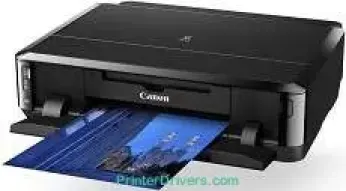
The Canon PIXMA iP7260 printer model is a fantastic product with outstanding qualities and specifications of interest. Its minimum ink droplet size includes 1pl, 2pl, and 5pl for cyan and magenta while 12pl works for pigment black. Besides, the maximum print resolution is up to 9600 x 2400 dots per inch (dpi). Simultaneously, the print speed for black and white printing is up to 15.0 images per minute (ipm).
PIXMA iP7260 driver Downloads for Microsoft Windows 32-bit – 64-bit and Macintosh Operating System.
Ink Cartridge Details
Black CLI-651 Ink Cartridge
Ink Cartridge Yellow CLI-651
Cyan Ink Cartridge CLI-651
CLI-651 Magenta Ink Cartridge
Grey CLI-651 Ink Cartridge
Canon PIXMA iP7260 Drivers for Windows
9e6299f7d8974fb68780cc5ffd665b366f20f899ad297bd06b63ea6d8ce04ff73ba58059ca15160e2aa6c945e0b312694c9c6480521c641db876b7148e2ac22c33d95c3364bee54fe11ab7e991f21a59cf57af330d5bc7b8bef3c49d017b41cd8dd427942e8e31c574841b714286f9171dafe7b49dd781ec9b62ff0cc61cf1a415e26104a051d3f79061242bb8114e3d81f35bbe709d14bb07a6284eb01471d0Canon PIXMA iP7260 Drivers for macOS
7e3e0e53101a39da20c430a62307ff1a2457206fa50988a4f303df0d829ac8bb00f3256823acc194f88a14227354ccb26695ef3d3741b69133621a576e32e35233d949689439d3fa1e9bf1de4e1c40d9c3c55e5028b09d6b9b76c7235c264d24Canon PIXMA iP7260 Drivers for Linux
c20fe715cf7bac066837dcf7b9b36fe123ca82c40056bc7b09b2e223ffca600d0d6a47fd288cd437284e391e2cf6d2dd7d2b6fcaa7937692553b8850135ad2548b6d408f18191f19465ee8fc31aa08455e8bec186fdd3f02ee822f53a9b086a9Canon PIXMA iP7260 Specifications
On the other hand, color printing is at the rate of 10.0 ipm while it takes 21 seconds for photo printing. The compatible ink tanks include PGi650BK, CLi651BK, CLi651M, and CLi651Y for standard ink tanks, with optional XL ink tanks. This machine also supports borderless printing as it relates to photo print sizes. Simultaneously, the plain paper holding capacity in the main tray is up to 125 sheets.
The supported standard paper sizes include A4, letter, legal, A5, B5, DL Envelopes, COM10 Envelopes, and photo sizes. In terms of the supported paper weights, the options include paper weighing between 64 and 105 gsm. Nevertheless, when the Canon specialty paper is in use, the maximum weight is about 300 gsm. Moreover, the compatible protocol includes the TCP/IP options while there are three wireless LAN network types.
The wireless component’s maximum data rate is up to 150 Mbps for IEEE802.11n and 54 Mbps for IEEE802.11g. As for the IEEE802.11b, the maximum data rate for the wireless LAN is up to 11 Mbps. The wireless LAN range for indoor use is not more than 50 m, but it depends on the transmission speed. With this machine, users can also print from any iOS or Android mobile device. More so, the machine can print from memory cards. This feature is possible through the WiFi PictBridge Printing with compatible Canon cameras.
Technical Details
| Title | Canon PIXMA iP7260 Drivers |
|---|---|
| Device Type | Printer |
| Driver Version | Varies by driver and operating system |
| Available Downloads | Drivers |
| License | Free |
| Manufacturer | Canon Inc. |