
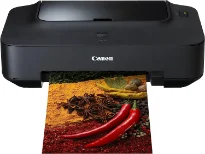
The Canon PIXMA iP2700 printer model is an excellent choice with the ability to produce outstanding quality. Its output quality has a maximum print resolution of up to 4800 x 1200 dots per inch (dpi). At the same time, it uses an inkjet print technology with a 4-ink component. This feature also has an internal ink droplet size of about two picolitres (pl) out of FINE cartridges. In color management, the photo lab quality speed of the machine depends on the print mode.
Canon PIXMA iP2700 Drivers for Windows
276f69f4f0920db855c676c9e35d0a542865d1028d6babab753808c953595b9156ce7613275255544e73ce807fd460d82a64b867161e9aabf8769b1e8ed8e3c09f65782a2f62f01617de563325f96b8fa92cca9829c7966a96b936d2bce439d28dd427942e8e31c574841b714286f9171dafe7b49dd781ec9b62ff0cc61cf1a415e26104a051d3f79061242bb8114e3d81f35bbe709d14bb07a6284eb01471d0Canon PIXMA iP2700 Drivers for macOS
0849e5da7005a52106ee9f1912a82a7e7ee411fc88ce004d0f8a2e1d9472e8be180cfe9a50c05ecd4b529ff04bfbf54c44bc85af89070c0fc33bbaf55742072f975b02471d99458d987f703cdfd9a55836458a34656c7541af156ccaa2d6816cPIXMA iP2700 driver Downloads for Microsoft Windows 32-bit – 64-bit and Macintosh Operating System.
Supported Ink Cartridges: CL-211 Color Ink Cartridge, PG-210 Ink Cartridge Black
For instance, borderless printing on 10 x 15 cm sheets runs approximately 55 seconds through standard means. When printing in the monochrome mode, the ISO ESAT print rate is around 7.0 images per minute (ipm). On the part of color printing, the speed is about 4.8 ipm in the same mode. The compatible cartridges include PG-510 and CL-511, while other options include PG-512 and CL-513. Each of these cartridges then has the appropriate volume of print yield.
Some of the typical paper types include plain paper, envelopes, photo stickers, matte photo paper, and photo paper plus semi-gloss. Others include photo paper pro platinum, photo paper pro II, and the photo paper plus glossy II. Also, in the Canon PIXMA iP2700 printer’s main paper tray, the paper loading capacity is about 100 sheets at the maximum reach. On the flip side, the options include A4, A5, B5, Letter, legal, DL envelopes, and Com10 envelopes in terms of the media sizes.
The Canon PIXMA iP2700 model has a width of 445 mm and a depth of 250 mm. It has a height of 130 mm while the net weight is up to 3.4 kg. Also, in a typical printing environment, the temperature range must be between 5 and 35°C. Conversely, the relative humidity should remain between 10 and 90% with no condensation.
Technical Details
| Title | Canon PIXMA iP2700 Drivers |
|---|---|
| Device Type | Printer |
| Driver Version | Varies by driver and operating system |
| Available Downloads | Drivers |
| License | Free |
| Manufacturer | Canon Inc. |