
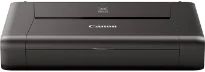
The Canon PIXMA iP110 model can correctly execute the wireless print and cloud saving features without a hitch. The device can also produce documents with an optimum resolution of up to 9600 x 2400 dots per inch (dpi). On the other hand, the print engine has two ink cartridges: the black and color types. However, the black cartridge can produce pigment black. In contrast, the color cartridge can produce cyan, black, yellow, and magenta colors.
Canon PIXMA iP110 Drivers for Windows
567ef01c442aff90fac7fd0bb31aaff3f9e940f020d284202d53a4a4fe631d990658f4f30378eb71e05661b512f9ab7ed91898a51c8d50baf5267c061052abd2a213fea70f2dad561531eb4da2d405e320aeff72e564798ac3625a448dc48e6f8dd427942e8e31c574841b714286f9171dafe7b49dd781ec9b62ff0cc61cf1a415e26104a051d3f79061242bb8114e3d81f35bbe709d14bb07a6284eb01471d0Canon PIXMA iP110 Drivers for macOS
557beccf958d0837492b12894fb863f56fbf0d4156e40c8c4c92050be81b39ce829bc5217b837947f04a819d92b04015726b632b1662d9cd72024e429510e7498b14b69fa8b68ed497fdd65cbbe9a55fd56c55d571da601165de5611f1d9db57a87ef6a83ee878bf2bb65be8281fec472cf303a523d9f6e96d5766c9e64242288f0db18477363e132684ca87d677ab2871cae50ccb8f40d5a584629ff1c29bc1Canon PIXMA iP110 Drivers for Linux
07a441231fa9e7cc7c32e1ef126916ab54945382facf01e68a00785beacebf92e5bbd191ec8b36a204cc2c8c2468d1ee1050ea53b68b304c5c268eda8537f51c42a5c9e956c701f88537471eb1054f38a293e3df4396cdb337c0c3ecdcaa5ae4Canon PIXMA iP110 driver Downloads for Microsoft Windows 32-bit – 64-bit and Macintosh Operating System.
Ink Cartridge Details: PGI-35 Pigment Black Inkjet Cartridge, CLI-36 CMYK Color Inkjet Cartridge
The print head is also an inkjet FINE one with a minimum ink droplet size of about one picolitre. Also, it is compatible with the Canon ChromaLife100 ink cartridge models. The photo lab quality speed on borderless printing mode, at the level of 10 x 15 cm, is about 50 seconds by standard measurement. On the other hand, the monochrome document print speed is approximately 9.0 images per minute (ipm). At the same time, the color document print speed is 5.8 ipm.
The photo print speed on borderless print mode is approximately 53 seconds per page. This borderless printing mode can work for A4, letter, and some standard photo paper sizes. However, duplex or two-sided printing with this machine uses a manual operation. The compatible print ink tanks are the PGI-35 for black and CLI-36 for color documents. Each of the cartridges also has the maximum number of pages they can reproduce.
According to the testing standards, the Canon PIXMA iP110 machine produces A4 color document printing by ISO/IEC 24711 print standards. On the other hand, borderless color photos print according to the ISO/IEC 29102 by estimated yields. The compatible paper types include plain paper, envelopes, photo paper glossy II, glossy photo paper, and matte photo paper. It is also compatible with photo stickers, while the maximum paper input capacity is just 50 sheets of plain paper.
Technical Details
| Title | Canon PIXMA iP110 Drivers |
|---|---|
| Device Type | Printer |
| Driver Version | Varies by driver and operating system |
| Available Downloads | Drivers |
| License | Free |
| Manufacturer | Canon Inc. |