
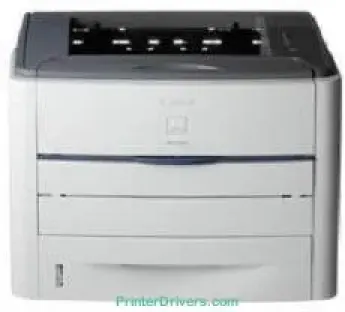
Printing with the Canon LASER SHOT LBP3360 printer model ensures that users get the right value for their money. The machine supports an internal voltage usage between 220 and 240 volts at 50/60 Hz with a gradual 2 Hz change. Also, the power consumption is approximately 970 watts or less at its maximum performance. At a normal operation mode, the power usage is about 400 watts, while standby mode requires 11 watts of power.
Canon LASER SHOT LBP3360 Drivers for Windows
abcf263e85c43d748e786d61d3a160023ece00baf2e8bea12fed22b41cccaf92f2acf048babe35a73da07885fd85e85389720cc59caa407e5866e91e782b08a1cf3e5f5e16706456e9ffd74d3e314f46a719b160da3534e1887b8c5e43beb57aee32afb97cfa0362a7af1f9f318f83a57b19df972483983a3940666d43f4dbc3b9c57e7d6b43bf7084ea418af1f0c8adf9e8b7d61176b2fdc58f833bc318ec82f5cfd2d4485a5df03e0a7e605cb2d844b774b72284a4fc21300ffa2314e7b35ee10af30d67710f74d362ff2cfae48f23a3c98ea569d8726f7076ad5905ed33be27d790a0d56ecb27ca683a7c22fdf8499ff5f65c32ba0dddf72c3b558d8ead5dCanon LASER SHOT LBP3360 Drivers for macOS
6d0caac09d160afd7262d5d5b536d133a429e12b8f7c9f69373812e6356f34bd3cac8d47a0bb1580e74b492bc876858781092e8fae8a009946dc72a2194c0ca93accb0f153300092a2ee312825c851035f1c66d65dafd67c77e2d4fbcd27c13a5c70ce408e9af249acb1d961605a3c4e4741913910cc53c3a562af0ca8c76e6e01a221888cc3651a64f633e461870d1e2d0cce0ef54abb9c8317ca085ad2196422777e10690dcebdae80b6ec50e7bed2b28b71ca4cf9315646912ab2ad21c066c0f30b290384f17a632ab8d1bb4aaeb3589d0088456996795300daf6874e757f39d1dfee3689a7f3cbe7d777c61b1ed00ffd86dc8a01d1e3652cafab5bb14b9dCanon LASER SHOT LBP3360 Drivers for Linux
63d6d12d89e21430d0a906fcbedc849ca66c96352b13ebccdb8228a1d8810a3bCanon LASER SHOT LBP3360 Supported Toner Catridges
Toner Catridge Black CART308 : Yield upto 2,500 pages
Black Catridge CART308II : Pages 6000 High Yield
Specifications
The noise level that the machine produces is about 6.43 B or even less, but the sound pressures vary. The physical dimensions of the Canon LASER SHOT LBP3360 model include a width of 400 mm. Also, its depth is about 376 mm, while the height is up to 267 mm. It weighs 12.8 kg within a suitable operating environment. In a typical printing environment, the machine supports a temperature between 10 and 32.50°C and humidity between 20 and 80%.
It also has a control panel that shows a liquid crystal display (LCD) with 16 characters and one line. It also has 8 LED indicators as well as eight operational keys. The rate of printing on A4 paper is about 21 pages per minute for monochrome laser beam printing. It also produces a quality that reaches 2400 x 600 dots per inch (dpi) with its automatic image refinement. However, the minimum print resolution is 600 x 600 dpi.
The first page out time is approximately 9 seconds from the time of issuing the command to the machine. Besides, this device can conveniently produce up to 10,000 sheets of paper in a month. It also leaves two margins of 5 mm top and bottom as well as 4 mm left and right. The printer is compatible with plain paper, heavy paper, transparency, label, and envelope sizes.
Technical Details
| Title | Canon LASER SHOT LBP3360 Drivers |
|---|---|
| Device Type | Printer |
| Driver Version | Varies by driver and operating system |
| Available Downloads | Drivers |
| License | Free |
| Manufacturer | Canon Inc. |