
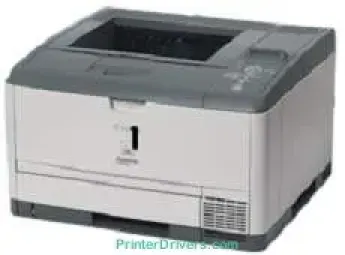
The Canon LASER SHOT LBP3460 model is a desktop laser printer that uses the electrophotography print method for printing. This method is parallel to the on-demand fusing as well as the dry dual-component developing system. When printing on letter-size paper, the rate of work is up to 35 pages per minute (ppm). Also, the standard for the first print time is about 8.0 seconds from the warm upstage.
Canon LASER SHOT LBP3460 Drivers for Windows
abcf263e85c43d748e786d61d3a160023ece00baf2e8bea12fed22b41cccaf92cf3e5f5e16706456e9ffd74d3e314f46a719b160da3534e1887b8c5e43beb57ae10af30d67710f74d362ff2cfae48f23a3c98ea569d8726f7076ad5905ed33be27d790a0d56ecb27ca683a7c22fdf8499ff5f65c32ba0dddf72c3b558d8ead5db9c57e7d6b43bf7084ea418af1f0c8adf9e8b7d61176b2fdc58f833bc318ec82f5cfd2d4485a5df03e0a7e605cb2d844b774b72284a4fc21300ffa2314e7b35e8489588dc560880fa58e7af3f4a0b67d115b55dfbf3ee02e20ba4e64f1a399d35ce34dce406f36dd4468fa4e86676ad211a0ebe5026fd2007168c92b420d7651Canon LASER SHOT LBP3460 Drivers for macOS
b301614bc8e88b089d87db898da550f9ccb5bad9238977890796cf36c113c98f8c3891f63d4e6b9d23a613adb34a803bd4b45593d9fc0ca658465a0aba1a7ff33cac8d47a0bb1580e74b492bc876858781092e8fae8a009946dc72a2194c0ca93accb0f153300092a2ee312825c851035f1c66d65dafd67c77e2d4fbcd27c13aab8f0f303177d8c2129a2a2db2b478c6b63e40154d669f8d01041b4f7afcfbb101a221888cc3651a64f633e461870d1e2d0cce0ef54abb9c8317ca085ad2196422777e10690dcebdae80b6ec50e7bed2b28b71ca4cf9315646912ab2ad21c066c0f30b290384f17a632ab8d1bb4aaeb3589d0088456996795300daf6874e757f39d1dfee3689a7f3cbe7d777c61b1ed00ffd86dc8a01d1e3652cafab5bb14b9dCanon LASER SHOT LBP3460 Drivers for Linux
3dfe6667e86809da6fd5a9775f7097c3e3e124934759090bd945b03fa6a13c28Canon LASER SHOT LBP3460 Specifications
Besides, when this machine is just powering on, the first printout time takes about 9 seconds. It also has an R4000-333 processor that runs at a speed of 333 MHz. Besides, there is a standard internal memory of 64 MB of RAM, but the maximum reach is 320 MB. In the same way, it has several page description languages, including UFR II, PCL 5e, and PCL 6. These languages produce a resolution that reaches 2400 x 600 dots per inch (dpi).
By the way, Canon LASER SHOT LBP3460 printer model is also compatible with MS Windows 2000, XP, and Server 2003. It also works with Macintosh OS 10.2.8 or later versions to produce the outstanding quality of the print. The connection interface options include the 10/100 Base-TX (RJ-45) network and USB 2.0 hi-speed port. It also displays a liquid crystal display (LCD) screen with 16 characters and one line.
Related Printer :Canon LASER SHOT LBP5200 Driver
Also, there are 8 LED indicators with eight operation keys for ease of use by the user. In terms of the paper handling specs, the machine is compatible with legal, letter, executive, and custom sizes. The supported paperweight is between 17 lbs and 35 lbs for bond paper. In addition to these paper sizes, the multipurpose tray can still accommodate statements, index cards, and other formats. This machine also has an Energy Star certification for suitability to the environment.
Technical Details
| Title | Canon LASER SHOT LBP3460 Drivers |
|---|---|
| Device Type | Printer |
| Driver Version | Varies by driver and operating system |
| Available Downloads | Drivers |
| License | Free |