
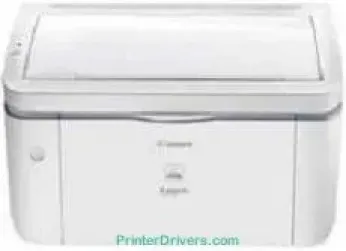
The Canon LASER SHOT LBP3250 printer model is an efficient product when it comes to large-scale printing. It runs on the monochrome laser beam printing method with a maximum speed of 23 pages per minute (ppm). This rate applies to print in black and white on A4 paper. On the other hand, the print quality is up to 2400 x 600 dots per inch (dpi) with automatic image refinement.
Canon LASER SHOT LBP3250 Drivers for Windows
7d523ee2f7dfecb25906e5091decdc9ae274571d0d7bf2dc7e184e41ef947a1177eb7e9482350da26db8972ef7f6fdc121c76251838d61f7beda1ad46180155aCanon LASER SHOT LBP3250 Drivers for macOS
4601e7027333700fb0f38f96c3b7cb23f8b94efbd2a38ac67dec0587181d9d9e6ab22eb02be80fd6182460dfcacc024cc2c02e2fc2696c3f0701309076d8979f75341c120a4cee3635780d875ee209afe6d175153596f36a176980870d6ca57eCanon LASER SHOT LBP3250 Drivers for Linux
8565a2fdc4f452bb8cf97ceadadd6614d12eac73e253ac6d59e61b8abae941beCanon LASER SHOT LBP3250 Specifications
Furthermore, the image resolution is up to 600 x 600 dpi by a standard measure. After issuing the print command to the printer, it takes approximately 6 seconds for the machine to print its first page. Similarly, from the power-on mode, it will take about 10 seconds. The total duty cycle of the device in a month is 8,000 pages at optimum performance. It also leaves a print margin of 5 mm on each of the top, bottom, left, and right portions.
The standard paper input capacity of the device is up to 250 sheets of plain paper. In addition to the main paper load, there is a manual feed slot that takes one sheet of paper at a time. On the other hand, the output paper tray will take up to 100 sheets of paper in a facedown pattern. The supported media types for the Canon LASER SHOT LBP3250 model include plain paper, heavy paper, transparency, label, and index cards.
In terms of the sizes, the machine is compatible with A4, A5, B5, legal, letter, executive, envelope, and custom sizes. These paper trays also permit a paper weight between 60 and 163 gsm per slot. By physical measurement of sides, the Canon LASER SHOT LBP3250 model has a height of 227 mm. The depth is about 258 mm, while the width reaches 384 mm. It also weighs about 6.76 kg.
Technical Details
| Title | Canon LASER SHOT LBP3250 Drivers |
|---|---|
| Device Type | Printer |
| Driver Version | Varies by driver and operating system |
| Available Downloads | Drivers |
| License | Free |
| Manufacturer | Canon Inc. |