
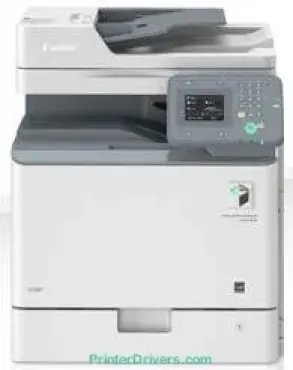
Canon imageRUNNER C1325iF belongs to a class of individual printers that can produce both color and monochrome documents at great speed. The output documents also come in exceptional quality due to the laser beam print technology. Print rates depend on the complexity of the document as well as the paper sizes in use.
Canon imageRUNNER C1325iF driver Downloads for Microsoft Windows 32-bit – 64-bit and Macintosh Operating System.
Toner Cartridge Details
C-EXV48 Yellow Toner Cartridge : Upto 11,500 pages
Black C-EXV48 Toner Cartridge : Yield approx 16,500 pages
Toner Cartridge Cyan C-EXV48 : Approx 11,500 pages
C-EXV48 Magenta Toner Cartridge : Yields upto 11,500 pages
Canon imageRUNNER C1325iF Drivers for Windows
e1b63536f7aa3f5115720ce607384aef4a407453dbf03842f1027b60b89e53fc68a34025554c17057ab6427a468c22e56546bd9b76a84c1dfaa96789cc6ed097443586ca6d538a0ef5ddea5cb22db9c19a6e312885460e262c69793b2ffdd0e8bf31a4352cf32fa0d8e891013683895e8847cd8e45ec7e67cee6cbd139d15bf41d12e305e5e307d118541ea1427eb6ed75d8b4878d93964b9e88bed5bbae0801722506de3e384760645b007550c3f2f1af7e1add5a0055156fde565abab8558f8ca59880d1cb5901be647cdf1caea23c100983180f08882aa439e2bb80f0478b9392ac4854b6611280a41af3b0273a86f621eaf21a1b98f60bb72df9a27a75089e0a235803be9f47a5d243d9335d0f9156f4db43c0d73229137365945e3a335ec1bfad159d62fab63862a6fdf792c13be08ec542d9147d3c5d189b92cf117f054180902377e3ae1b05de6d7538576c258e0cf08bd8a9644acd714f46fc81d2dcbed2d84859313ad92382f3ac9adedf8234cdc291d102cd9de3b77fed58d8a12593640c282a79b290c51e900a8f08c6a75b77622b733f095287671ef23d7fc3799a1afa2c3e1e35b01b97ed884bddd23829d707c44539bca6ece74547b87abae30eaa1919ea9814c0dd73ac767132f9f5e2fd2bfbf42c72086bf95712e56899fae10fae91cdf20194edba025fa9bc08f0cee2ad0faaf22d9a8d30edde8f002cff0deff56a0148d7027b8877556b7745d42c5813c7817e149c0897f3f537e54418484d887fc334579b3dc3a8bc75da393a9e3965472a7d23778e61bd2de5b0bee204d2e8b6f97ecdbf6149ef728dccd1e27a7ad604327a8fa2972b7d5b6323ac320f9c6406c46b234f582a575d1581efe532fa405c5390a18408e0a3cd074c9611c60ae7abde74362ee1fc65c30bd9d6dbd210613ae7713e332cb28ca73d2602ce134f167a970623ae0049832a51a24f523e078d553328e54ddfa58016a070b962Canon imageRUNNER C1325iF Drivers for macOS
728bd8a3b28577d960bd7880d0dd68ea2b29f7f74dcafe4341c82ca9e826128cfcaa207ca11452dfa3bd213b9735d32dfa8f208ac5a19f08229cbee540a1c5e20485a03ef39ecfdf93f0d306d06db70162ec51ee6101b8b216a6bf379343eb35075d9ac7aa5d09fcbb6bc76d6d048cbf3ab45277993c7804badbef5704b4e91e8c3891f63d4e6b9d23a613adb34a803bd4b45593d9fc0ca658465a0aba1a7ff3646aaa66b64a8416492c4abf846958b255a596204cbd7db738b975103f543f50ff5d80d992a0f8b003104ffdc1bdf36bfe8bce0aa49cce77b27cdc9a95a5776ca2f4cd0e35483928ff487a3267ea5c930711de5d487220a3d3402f65c263e8e63cac8d47a0bb1580e74b492bc876858781092e8fae8a009946dc72a2194c0ca96b581313eec6df01b8ad51715b70513f5b2a2cb26467a41d34966d7b57f74f965efcaeccd8b1f1103d2bb966199a47fc50f0116996d987bd51178d61474c2151c98999b876d4bc8928e9adbfd33748039773dbb01850e711679363ae3e93785b3accb0f153300092a2ee312825c851035f1c66d65dafd67c77e2d4fbcd27c13a312dad7b42625ee423180149805c7ec4e10d238d7ee98b777e766374df0576c8917e7c7089148ed46d637656f66159b2042287e9084b2b921ae5b5f5c0eb0e4837c7892368c2313a0619c97b4f71f32be34757bfcc84538a957d6f23e43e81f0ab8f0f303177d8c2129a2a2db2b478c6b63e40154d669f8d01041b4f7afcfbb1afa07a120e13f388f25264155b97228b6378ddc7bc4138e34904c730a8b43dcb09431107d2b98a5c1a3d4ae6141590e902abf12a5f16be1d69712e8cfe9845590297641744ea447acd804af112d0693e6588ba52e03feaf0d3150446eb3e84f501a221888cc3651a64f633e461870d1e2d0cce0ef54abb9c8317ca085ad2196494292469e0acf79d6f42d1ee69f08969d05241d73a3b0845a32aaa2fe1c08f5de65a67c44f07e8c6ecf20e167ae2d83d355023809358287d3a2badbce6507585319819327b889a34a931905184cbeb1e9c986e5d635fa77c88f5de1e424c308822777e10690dcebdae80b6ec50e7bed2b28b71ca4cf9315646912ab2ad21c066702b8d833f5f41ec87cd5b357b1b9ddd3bb3d1b09a3768321db602239d777492e6a48ab862ab2fa01c7793bae9776d4de130b89fe50e189ff8c78d1e5fa6183d9dd3f1b1c7dc175ab7cd4bb929f902c55966150a6a0273dbb36ccad0f146006a02735f008f6d8f5882c2824e3f2b83f7ccf7de77a1e3cca3f3007e0d40da0aef602bdd48468bf971d46227aeb5a5e80268b4d63683acc1033092bf82e239f064317cf79acc2b5c650f2d0487297a075500cf16bac82b4995036f450d7eb267a861f0115a742ccd592c97a829fdce66fb3936ba20e2c75c3a64b8fbf107dc5ff0Canon imageRUNNER C1325iF Drivers for Linux
d26606180b43af13a52f6485e10706bf8425bd06bb30131eecfcd71e9b98aba8Canon imageRUNNER C1325iF Specifications
For instance, printing on A4 for both single- and double-sided printing has 25 pages per minute (ppm). On the flip side, printing on A5 paper for both modes runs at the rate of 26 ppm. This device has a quality resolution of 2400 x 600 dots per inch (dpi). Also, it supports direct printing through the USB memory key for raw file formats. The supported file formats and types include JPEG, TIFF, and JPEG.
The Canon imageRUNNER C1325iF model can print from an internet-connected device or a mobile device. This feature is possible through a range of installed software. The main paper tray in this device can hold up to 550 sheets of plain paper. In comparison, the multipurpose tray can accommodate 100 sheets of plain paper at 80 gsm average weight. As alternatives, the machine supports four different 550-sheet cassettes with select feeding units.
The copy output time for the very first page is about 8.4 seconds. Besides, the maximum resolution to expect from the copy mode is 600 x 600 dpi. Other copy-related features include multiple copies, reduction, and enlargement of output sizes. While scanning, the machine has a standard feature for 50 sheets, which is the DADF feature. This feature also supports media sizes, including A4, A5, B5, and some custom-made sizes. In single-sided scanning, the supported paper weight is between 50 and 105 gsm. But in double-sided scanning, the range is between 64 and 105 gsm.
Technical Details
| Title | Canon imageRUNNER C1325iF Drivers |
|---|---|
| Device Type | All-in-one printer |
| Driver Version | Varies by driver and operating system |
| Available Downloads | Drivers |
| License | Free |
| Manufacturer | Canon Inc. |