
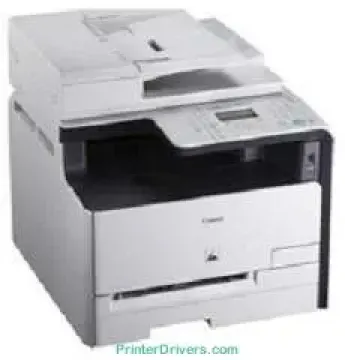
This special model of printer, Canon imageCLASS MF8030Cn, has the ability to print, copy, and scan documents at optimum performance. It also has a resolution of 600 x 600 dots per inch (dpi) with connectivity options of a USB and network. The rates of printing differ for monochrome, as well as that of color printing. For instance, printing in color is at the rate of 8 pages per minute (ppm). On the other hand, printing in black and white is at the rate of 12 ppm.
Canon imageCLASS MF8030Cn Drivers for Windows
22d64bc9cae23395bc862a84a3efc5e6a93d0fe26040a71ee287a32bedd8f04fcc0b90663d6f4fe26665bf6d308443f438a90c8f7900c1eec8d78e7bdaf46ba14d55a4a3e3f5a130bc7a9ccfc5f72f91edf71646e99efe25e959fc74157e973f92f99fa394ddfef4ee1825a9904e31de891e4a4b72c6816ad8e71eeb267cb528Canon imageCLASS MF8030Cn Drivers for macOS
d5f10278e0dd91a898757299adb4a566e5f14e6ad073c885da268768b7b8172eff5d80d992a0f8b003104ffdc1bdf36bfe8bce0aa49cce77b27cdc9a95a5776c6708a180dad9484c82047dc4624ec4b3dd3438231e6ac5cbcdba793755e1ddb45efcaeccd8b1f1103d2bb966199a47fc50f0116996d987bd51178d61474c21518a9fe8a3ad9ee02fb65e10e05eda1e6d8e6ba268fa987a6e164d5ba661bb1240917e7c7089148ed46d637656f66159b2042287e9084b2b921ae5b5f5c0eb0e48da6c9cbd85a75754061053b0cd0086f0297ea2f9d52a2bb0056fff1438bcff1209431107d2b98a5c1a3d4ae6141590e902abf12a5f16be1d69712e8cfe98455935dc19aa61aba625226444a79ce3488bb61f99b0c653d1abf054c9b471d5a1b3e65a67c44f07e8c6ecf20e167ae2d83d355023809358287d3a2badbce65075856321f7ffd7900bcf8e4b8ce99f0d3d7af91556b836e302306ae8a25a2e16df9de6a48ab862ab2fa01c7793bae9776d4de130b89fe50e189ff8c78d1e5fa6183d360e961225a3a218f8f019abb06cafb6699a0ae2279c20467a32e972a2b98b6d39d1dfee3689a7f3cbe7d777c61b1ed00ffd86dc8a01d1e3652cafab5bb14b9d4fe09622cf352cfb39785875efcfde33a7f47cbaa88c59f92f1899529dd2586902735f008f6d8f5882c2824e3f2b83f7ccf7de77a1e3cca3f3007e0d40da0aefCanon imageCLASS MF8030Cn Drivers for Linux
63d6d12d89e21430d0a906fcbedc849ca66c96352b13ebccdb8228a1d8810a3bCanon imageCLASS MF8030Cn Supported Toner Catridges
Black Toner Canon 116 Catridge : Approx. 2,300 Pages Yield
Color Magenta Toner Canon 116 : Upto 1,500 Pages
Canon 116 Yellow Color Toner : Upto Pages 1500
Cyan Toner Canon 116 : Approx. Pages 1,500
Specifications
The Canon imageCLASS MF8030Cn model has an internal memory of 128 MB of RAM without external memory. The maximum print resolution is about 2400 x 600 dots per inch (dpi), which is possible through an enhanced component. While scanning, the resolution is about 600 x 600 dpi while there is an ADF paper feature. In the print method, four in-line toner cartridges are ideal for a perfect print delivery.
Also, as part of the scanning specifications, the scan facility has an inbuilt feature while the depth is 24 bits. In the copy mode, the rates are eight ppm for color copy and 12 ppm for black and white copying. Also, it has a magnification feature that can enlarge a text to 400% of the original size. This same component can reduce the size of the output copy to 25% of the original document.
Other essential features of the copier include coverage for text, photo, and map. It also includes printed images, frame erases, collate, ID card copy, and multiple copies. The first copy-out time is only about 29 seconds from the time of giving out the command to copy. It also has an LCD screen with five lines and a backlight. The machine also has one RJ-45 port for connecting to print at optimum productivity.
Technical Details
| Title | Canon imageCLASS MF8030Cn Drivers |
|---|---|
| Device Type | All-in-one printer |
| Driver Version | Varies by driver and operating system |
| Available Downloads | Drivers |
| License | Free |
| Manufacturer | Canon Inc. |