
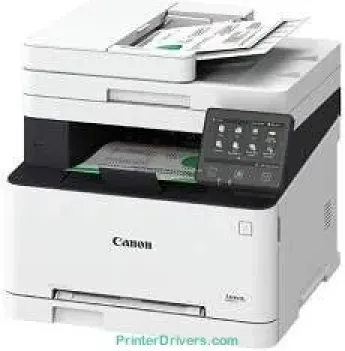
The Canon imageCLASS MF621Cn printer model uses color laser-beam print technology. Its rate is up to 14 pages per minute (ppm), while the resolution is about 600 x 600 dots per inch (dpi). There is an improved print quality with an image refinement technology of 1200 x 1200 dpi. It can also reach a level of 9600 x 600 dpi. The warm-up time is only about 23 seconds or less. The first print out time for A4 printing is about 18 seconds and takes 8 seconds to recover.
Canon imageCLASS MF621Cn Drivers for Windows
8909132ac711a34bf50a3a457e36d43d94800370a0378f10734baeb415df4f688909132ac711a34bf50a3a457e36d43d94800370a0378f10734baeb415df4f680007a388f94ebba7ef553b8a556343895023df5625995cad4c58df23d146a9ea8abc724b2d60dc6e8f6da0432d53142e47a8cddae3b9c04d99d61d81bee430034d55a4a3e3f5a130bc7a9ccfc5f72f91edf71646e99efe25e959fc74157e973fCanon imageCLASS MF621Cn Drivers for macOS
d5f10278e0dd91a898757299adb4a566e5f14e6ad073c885da268768b7b8172eff5d80d992a0f8b003104ffdc1bdf36bfe8bce0aa49cce77b27cdc9a95a5776c6708a180dad9484c82047dc4624ec4b3dd3438231e6ac5cbcdba793755e1ddb45efcaeccd8b1f1103d2bb966199a47fc50f0116996d987bd51178d61474c21518a9fe8a3ad9ee02fb65e10e05eda1e6d8e6ba268fa987a6e164d5ba661bb1240917e7c7089148ed46d637656f66159b2042287e9084b2b921ae5b5f5c0eb0e48da6c9cbd85a75754061053b0cd0086f0297ea2f9d52a2bb0056fff1438bcff1209431107d2b98a5c1a3d4ae6141590e902abf12a5f16be1d69712e8cfe98455935dc19aa61aba625226444a79ce3488bb61f99b0c653d1abf054c9b471d5a1b3e65a67c44f07e8c6ecf20e167ae2d83d355023809358287d3a2badbce65075856321f7ffd7900bcf8e4b8ce99f0d3d7af91556b836e302306ae8a25a2e16df9de6a48ab862ab2fa01c7793bae9776d4de130b89fe50e189ff8c78d1e5fa6183d360e961225a3a218f8f019abb06cafb6699a0ae2279c20467a32e972a2b98b6d02735f008f6d8f5882c2824e3f2b83f7ccf7de77a1e3cca3f3007e0d40da0aefCanon imageCLASS MF621Cn Drivers for Linux
63d6d12d89e21430d0a906fcbedc849ca66c96352b13ebccdb8228a1d8810a3bCanon imageCLASS MF621Cn Supported Toner Catridges
Toner Cartridge Black 331 : Upto Yield 1,400 pages
Black Cartridge 331 II : Approx. 2,400 pages
Color Cartridge Cyan 331 : Upto 1,500 pages
Catridge Magenta 331 : Upto 1,500 pages
Yellow Catridge 331 : Yield Upto 1,500 Pages
Specifications
The compatible print language is the UFR II LT, and the printer also supports direct print through USB host. It supports other features such as poster, watermark, page composer, and the toner saver. Copying is at the same rate as the printing mode. On the one hand, the copy out time is approximately 19 seconds for both monochrome and color copying. The reduction and enlargement proportions are between 25 and 400% in 1% gradual increments.
Copying also supports frame erase, memory sort, two on 1, 4 on 1, ID card copy, and multi-copies. In scanning, the optical resolution is up to 600 x 600 dots per inch (dpi). With the enhancement of a driver, the resolution can reach 9600 x 9600 dpi. The color depth is up to 24 bits with a scan speed of 10 sheets per minute for color scanning. Scan features include TWAIN, WIA with scan driver compatibility. It can also scan to the cloud through Dropbox and Evernote.
The standard paper input is up to 150 sheets in the input paper tray and manual tray for one sheet. It also supports a weight between 60 and 90 gsm. On the other hand, the output tray can hold up to 125 sheets in a face-down pattern. Note that the multipurpose tray of the printer supports a weight between 60 and 220 gsm.
Technical Details
| Title | Canon imageCLASS MF621Cn Drivers |
|---|---|
| Device Type | All-in-one printer |
| Driver Version | Varies by driver and operating system |
| Available Downloads | Drivers |
| License | Free |
| Manufacturer | Canon Inc. |