
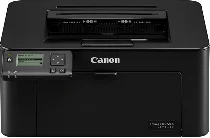
The core function of the Canon imageCLASS LBP113w model is the standard printing to produce a high-quality output. This machine has an internal driver capable of optimizing input resources to produce a high production yield. It is also compatible with many operating system versions, including Mac and Windows. The body comprises a control panel of 5 lines and an internal memory of 256 MB of RAM. Connecting with this machine can work through many options.
Canon ImageCLASS LBP113w Drivers for Windows
321f13cca77704b816435caed7f3f4074f726d10183484e8af007a09034e9192321f13cca77704b816435caed7f3f4074f726d10183484e8af007a09034e919204d2e8b6f97ecdbf6149ef728dccd1e27a7ad604327a8fa2972b7d5b6323ac32Canon ImageCLASS LBP113w Drivers for macOS
3c317ec4e78ae4d44d587b1cd1a81b7fcbb180e188b5863b0df68cbf93962ca5342da005633cd9528589b6ad500666bb4e89e88844d6118ffccc59fac349b0f36d9d69ef62e035f23418ceaa898bfcab10a3ba79025f60862adfab0c02317930131a70afa10d6ea60b7f3dcd7265bbf137bd200592ab485ae784aa15fb7ca0e6fd1de67142a025ea15c52208076abef2784d44caad5f5f10f7eb34dba40de528270c3f95591c36c1999cef31209a49370299e05a9481cdf1566eff77fdc2a785d12addcebff6c2d224be1adb303e1bd7eb04d8ed2d46fef0e59f8886e3f6dd26Canon ImageCLASS LBP113w Drivers for Linux
d8d6dce097f4fa9121ef34790e9ac72b11b9b0f7c29107fec401d9e2a825e1a0For example, users can connect through a standard USB 2.0 hi-speed device, a Wi-Fi 802.11b/g/n, and a direct Wi-Fi connection. Similarly, the legal paper capacity of the tray is up to 150 sheets of letter-sized paper with an average weight of 20 lbs. However, the output tray can accommodate 50 sheets of printed documents. Meanwhile, the supported media types include cassette, plain, recycled, thick, bond, label, and envelope papers.
Besides, the supported media types include the letter, legal, executive, statement, and custom-sized papers. Moreover, the supported media weight is between 16 and 43 lbs for bond paper, equivalent to 60 to 163 gsm. The warm-up time for the Canon imageCLASS LBP113w model is about 15 seconds or less from the power-on state. However, the sleep mode takes about 1.6 seconds or even less to warm up and prepare for work.
The machine’s physical dimensions involve a net weight of about 12.1 lbs, equivalent to 5.5 kg. The printing method works through the installed laser beam print technology. The speed runs on letter-sized paper at 23 pages per minute (ppm) and 18 ppm for legal-sized documents. At the same time, the first print-out time is about 6.3 seconds.
Technical Details
| Title | Canon ImageCLASS LBP113w Drivers |
|---|---|
| Device Type | Printer |
| Driver Version | Varies by driver and operating system |
| Available Downloads | Drivers |
| License | Free |
| Manufacturer | Canon Inc. |