
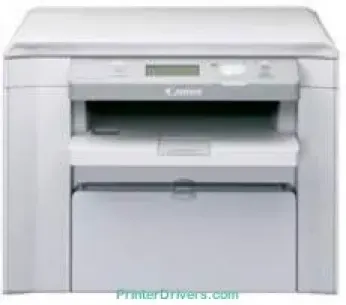
Printing with the Canon imageCLASS D520 printer model ensures the user experience is nothing less than perfect. The machine runs on the monochrome laser beam print technology with multifunction capability. Therefore, it is a suitable model for the process of printing, scanning, and copying at the best quality and speed. The rate of printing with this machine reaches 25 pages per minute (ppm) when using A4 paper.
Canon imageCLASS D520 Drivers for Windows
1f9aeaa88519dc195a8afa6c2be53ae0c51d551d3f125681d5f29950d99506248577935197907d5c88fe6fe7386b119a213a1cd90cced9539d48d7144b2347d84d55a4a3e3f5a130bc7a9ccfc5f72f91edf71646e99efe25e959fc74157e973fCanon imageCLASS D520 Drivers for macOS
d5f10278e0dd91a898757299adb4a566e5f14e6ad073c885da268768b7b8172e0485a03ef39ecfdf93f0d306d06db70162ec51ee6101b8b216a6bf379343eb35ff5d80d992a0f8b003104ffdc1bdf36bfe8bce0aa49cce77b27cdc9a95a5776c6708a180dad9484c82047dc4624ec4b3dd3438231e6ac5cbcdba793755e1ddb45efcaeccd8b1f1103d2bb966199a47fc50f0116996d987bd51178d61474c21518a9fe8a3ad9ee02fb65e10e05eda1e6d8e6ba268fa987a6e164d5ba661bb1240917e7c7089148ed46d637656f66159b2042287e9084b2b921ae5b5f5c0eb0e48da6c9cbd85a75754061053b0cd0086f0297ea2f9d52a2bb0056fff1438bcff1209431107d2b98a5c1a3d4ae6141590e902abf12a5f16be1d69712e8cfe98455935dc19aa61aba625226444a79ce3488bb61f99b0c653d1abf054c9b471d5a1b3e65a67c44f07e8c6ecf20e167ae2d83d355023809358287d3a2badbce65075856321f7ffd7900bcf8e4b8ce99f0d3d7af91556b836e302306ae8a25a2e16df9de6a48ab862ab2fa01c7793bae9776d4de130b89fe50e189ff8c78d1e5fa6183d360e961225a3a218f8f019abb06cafb6699a0ae2279c20467a32e972a2b98b6d4fe09622cf352cfb39785875efcfde33a7f47cbaa88c59f92f1899529dd2586939d1dfee3689a7f3cbe7d777c61b1ed00ffd86dc8a01d1e3652cafab5bb14b9d02735f008f6d8f5882c2824e3f2b83f7ccf7de77a1e3cca3f3007e0d40da0aefCanon imageCLASS D520 Drivers for Linux
3dfe6667e86809da6fd5a9775f7097c3e3e124934759090bd945b03fa6a13c28Canon imageCLASS D520 Specifications
Also, the Canon imageCLASS D520 printer model has internal memory storage of 64 MB of RAM. This memory is not only for storage but also for processing projects and retaining the best quality. The copier features of the machine first include a reduction limit of 25% of the original size of the document. On the flip side, it can enlarge the output size to reach 400% of the original document size. Its halftone is up to 256 levels with a similar speed as that of printing.
Related Printer :Canon imageCLASS D480 Driver
Scanning with this device is through the CIS scanning technology, which also runs at 25 ppm. It examines the depth; however, it is about 24 bits on a regular scale. It can handle media size that is not more than standard A4 size. In a month, this device can also produce up to 10,000 pages at its optimum performance. In terms of connectivity, the only means of connecting with this printer is through the standard USB 2.0 port.
This machine weighs 11.1 kg while the width is up to 390 mm, and the depth is 414 mm. It has a height of about 301 mm with a full-year hardware warranty period. The machine parts are also quite available in the Canon retail stores and are replaceable anytime. This advantage applies majorly to the print consumables like the compatible cartridges. Besides, the certified device is suitable for use in the environment by appropriate standards.
Technical Details
| Title | Canon imageCLASS D520 Drivers |
|---|---|
| Device Type | All-in-one printer |
| Driver Version | Varies by driver and operating system |
| Available Downloads | Drivers |
| License | Free |
| Manufacturer | Canon Inc. |