
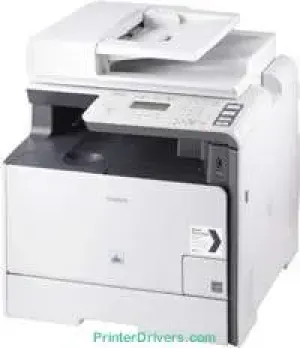
The Canon i-SENSYS MF8340Cdn printer model uses laser print technology to perform its multifunctional abilities. The basic features include printing, scanning, and copying documents at the best operating quality. It runs on A4 paper to produce a maximum speed of 20 pages per minute (ppm) for monochrome and color documents. This machine’s best print quality reaches 2400 x 600 dots per inch (dpi) with an automatic image refinement component.
Canon i-SENSYS MF8340Cdn driver Downloads for Microsoft Windows 32-bit – 64-bit and Macintosh Operating System.
Supported Toner Cartridges
718 Toner Cartridge Yellow : Page Yield approx 2900 Pages
Toner Cartridge 718 Cyan : Upto 2900 Pages
Black 718 Toner Cartridge : Yields upto 3400 Pages
Toner Cartridge Magenta 718 : Approx 2900 Pages
Canon i-SENSYS MF8340Cdn Drivers for Windows
87739dc31fb60e8d490ccc04fc533c3d297a0849e37d0d93caa408665752b627607576cd426a295a5823514480e00dddf4ffada8fc420d77ca5611ddc849f2d04d55a4a3e3f5a130bc7a9ccfc5f72f91edf71646e99efe25e959fc74157e973fCanon i-SENSYS MF8340Cdn Drivers for macOS
8a9fe8a3ad9ee02fb65e10e05eda1e6d8e6ba268fa987a6e164d5ba661bb1240917e7c7089148ed46d637656f66159b2042287e9084b2b921ae5b5f5c0eb0e48da6c9cbd85a75754061053b0cd0086f0297ea2f9d52a2bb0056fff1438bcff1209431107d2b98a5c1a3d4ae6141590e902abf12a5f16be1d69712e8cfe98455935dc19aa61aba625226444a79ce3488bb61f99b0c653d1abf054c9b471d5a1b3e65a67c44f07e8c6ecf20e167ae2d83d355023809358287d3a2badbce65075856321f7ffd7900bcf8e4b8ce99f0d3d7af91556b836e302306ae8a25a2e16df9de6a48ab862ab2fa01c7793bae9776d4de130b89fe50e189ff8c78d1e5fa6183d360e961225a3a218f8f019abb06cafb6699a0ae2279c20467a32e972a2b98b6d4c12283382997a0a253b5b7bedae90cf797892d245c51f896cbbc7eaf39f0d5b400f046433591f4a0ff3c99e03208e8383398907c9703634230bd5670b241b665afe5cf7fb0b2760c08f60dbce40f1d5569a42ee8c5601b28c28fdbf74dd03b44fe09622cf352cfb39785875efcfde33a7f47cbaa88c59f92f1899529dd2586902735f008f6d8f5882c2824e3f2b83f7ccf7de77a1e3cca3f3007e0d40da0aefCanon i-SENSYS MF8340Cdn Drivers for Linux
a05a6d9fde305397d60b118ece04838c3b05330a1abb91c24e5049f6cf2eea49Canon i-SENSYS MF8340Cdn Specifications
However, the standard print resolution is about 600 x 600 dpi. It can also run the very first print out page in 14.5 seconds or even less. Besides, it supports double-sided printing for both sides of the page with the UFRII-LT printer language. This machine allows a 5 mm margin for the paper’s four sides, including the top, bottom, left, and right sides. But when using an envelope size paper, the print margin is up to 10 mm for all the paper’s sides.
Users can also print from memory media, including a USB memory for JPEG and TIFF print format types. This machine has a copy speed of up to 20 copies per minute (CPM) for color and monochrome documents. This rate also applies to the use of A4 paper size. In comparison, the first copy output time for the machine is about 15.5 seconds or less for black documents. On the other hand, the first copy output time for color documents reaches 16.2 seconds or less.
Copying with this machine also produces an output resolution of 600 x 600 dpi. Simultaneously, the model is compatible with text, photo, map, and printed images. The machine under copying is also capable of 2-sided printing with multiple copies reaching 99 copies. In terms of the zoom level, it can reduce the output size to 25% of the original size. Similarly, it can zoom in and enlarge the output size to 400% of the original size.
Technical Details
| Title | Canon i-SENSYS MF8340Cdn Drivers |
|---|---|
| Device Type | All-in-one printer |
| Driver Version | Varies by driver and operating system |
| Available Downloads | Drivers |
| License | Free |
| Manufacturer | Canon Inc. |