
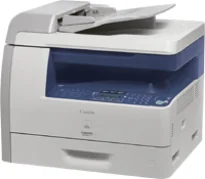
The Canon i-SENSYS MF6560PL printer model uses the laser flatbed machine model for an all-in-one classification. In other words, this machine is capable of printing, scanning, copying, and faxing documents at optimum performance. The device has a flatbed scanner as well as an automatic document feeder (ADF). The supported printer language includes PCL 5e, PCL 6, and GDI (Canon UFR-II LT). However, all specifications are according to the ISO/IEC19752 standard.
Canon i-SENSYS MF6560PL Drivers for Windows
1935881af93cac452434ae6eee37afbffe3ec482de5920cd5d5ad424a5a833b616e3b1cf3534fcf7d60feb3db5dc12cb5ee7137b02305e09470aea4f820ebb609e0a235803be9f47a5d243d9335d0f9156f4db43c0d73229137365945e3a335e4d55a4a3e3f5a130bc7a9ccfc5f72f91edf71646e99efe25e959fc74157e973fa4353cbe30dcb9bbe268a738a20a90395fa7e7d76ebd1303b3404dbd8c82c435Canon i-SENSYS MF6560PL Drivers for macOS
21b6eacda90c61ccadc50d0d76781576b8fd553b4a671e3d386f78fad17253b4af80abbfffc6c226407dfc5c2ea7fe751fb9c52c56dd4bf9a5cb587899b1368f5b8f8de010495b58464dd89bf0ec72e21a931f7476ebec8cf8c194361052d65779b3e920a4196ee4aaf6d17c5a095266ecf44e51626bd2902b01fa785dcd4075602bdd48468bf971d46227aeb5a5e80268b4d63683acc1033092bf82e239f06404379ee4276dcb51d3d98f083a64cb6f006f980ebc7cfff7f3b862d6b83fb0ad86d5330d84af4dcc7458630c4999aae2495eebf5e1e3c6688e6e7c0453cb25a1317cf79acc2b5c650f2d0487297a075500cf16bac82b4995036f450d7eb267a83cac8d47a0bb1580e74b492bc876858781092e8fae8a009946dc72a2194c0ca9c98999b876d4bc8928e9adbfd33748039773dbb01850e711679363ae3e93785b3accb0f153300092a2ee312825c851035f1c66d65dafd67c77e2d4fbcd27c13a37c7892368c2313a0619c97b4f71f32be34757bfcc84538a957d6f23e43e81f04c12283382997a0a253b5b7bedae90cf797892d245c51f896cbbc7eaf39f0d5bab8f0f303177d8c2129a2a2db2b478c6b63e40154d669f8d01041b4f7afcfbb10297641744ea447acd804af112d0693e6588ba52e03feaf0d3150446eb3e84f501a221888cc3651a64f633e461870d1e2d0cce0ef54abb9c8317ca085ad21964400f046433591f4a0ff3c99e03208e8383398907c9703634230bd5670b241b66319819327b889a34a931905184cbeb1e9c986e5d635fa77c88f5de1e424c308822777e10690dcebdae80b6ec50e7bed2b28b71ca4cf9315646912ab2ad21c0669dd3f1b1c7dc175ab7cd4bb929f902c55966150a6a0273dbb36ccad0f146006aCanon i-SENSYS MF6560PL Drivers for Linux
29e2380e21bda8c31f8c08435a2ba49cba61c13abfa47ba78081a9b0e55df333Canon i-SENSYS MF6560PL driver Downloads for Microsoft Windows 32-bit – 64-bit and Macintosh Operating System.
Supported Toner Cartridges: 706 Black Toner Cartridge : Yields up to 5000 Pages
Printing with this device runs at the speed of 22 pages per minute (ppm). It has a shared internal memory of up to 128 MB of RAM. Simultaneously, the machine can produce up to 15,000 pages in a single month at optimum yield. The machine has a print resolution of 600 x 600 dots per inch (dpi). But the optimum is about 1200 x 600 dpi due to the effect of an automatic image refinement (AIR).
The machine Canon i-SENSYS MF6560PL is compatible with the Cartridge 706 model, producing up to 5000 pages of printed papers. Concerning the printer trays’ paper capacity, the main tray can take up to 500 sheets of plain paper. In addition to the main paper supply, it has a multipurpose tray that can take up to 100 plain paper sheets. Simultaneously, there is an optional cassette that can take up to 500 sheets of plain paper. The maximum printing width is about 216 mm.
Canon i-SENSYS MF6560PL model has a liquid crystal display (LCD) screen that supports 24 languages. The printer width is about 520 mm, and the depth is about 420 mm in terms of the physical dimensions. It has a height of about 451.9 mm while the weight is about 23.7 kg. It also has a power source that supports a range between 200 and 240 volts AC. Also, its frequency is about 50/60 Hz.
Technical Details
| Title | Canon i-SENSYS MF6560PL Drivers |
|---|---|
| Device Type | All-in-one printer |
| Driver Version | Varies by driver and operating system |
| Available Downloads | Drivers |
| License | Free |
| Manufacturer | Canon Inc. |