
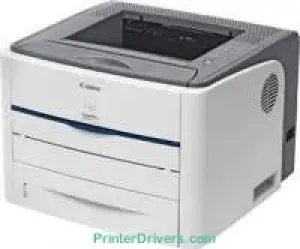
The Canon i-SENSYS LBP3300 printer model has impressive qualities that make it stand out among other models. It has a print rate of up to 21 pages per minute (ppm) for monochrome devices on A4 paper. This machine runs on a monochromatic laser beam print technology. Simultaneously, the average print resolution is about 600 x 600 dots per inch (dpi). On the other hand, the maximum print quality is up to 2400 x 600 dpi with automatic image refinement.
Canon i-SENSYS LBP 3300 driver Downloads for Microsoft Windows 32-bit – 64-bit and Macintosh Operating System.
Toner Cartridge Details: 708 Black Toner Cartridge – Page Yield up to 2500 pages
Canon i-SENSYS LBP3300 Drivers for Windows
480956b6175404f4b330f70f258b3c208a60dfacdf313ec2507cb87ed604bcfd309445fb66852e4e457ed415a9193481e69b22b9e096de9e9459798ca58960a8c34d52506045b6c63d882737a236cb9f5af78a8b9d1e64450ffebb04781a6de4f863c235f705f432d897b506e40825f65cf28a20ef18a21875b81dd86757cf40Canon i-SENSYS LBP3300 Drivers for macOS
4601e7027333700fb0f38f96c3b7cb23f8b94efbd2a38ac67dec0587181d9d9e6ab22eb02be80fd6182460dfcacc024cc2c02e2fc2696c3f0701309076d8979f75341c120a4cee3635780d875ee209afe6d175153596f36a176980870d6ca57e14a27252f5c0f126c7e0104e0270a0a4f40751135ae195cd12caeb988a885701Canon i-SENSYS LBP3300 Drivers for Linux
8565a2fdc4f452bb8cf97ceadadd6614d12eac73e253ac6d59e61b8abae941beCanon i-SENSYS LBP3300 Specifications
Furthermore, it has a warm-up time of 0 seconds from the standby mode. However, when waking from power-on mode, the warm-up time is about 7 seconds or less. Similarly, the first page output time is approximately 9 seconds or less. This machine, Canon i-SENSYS LBP3300, also has an optimum print duty cycle of 8,000 pages in a month. However, it allows a print margin of 5 mm for all the four sides of the paper, including right, left, top and bottom.
In terms of the paper input capacity, the machine has a main tray that can accommodate 250 plain paper sheets. Besides, it has a manual feed slot with one sheet at a time. Again, it has an optional tray that can also hold up to 250 sheets. However, this machine’s output tray will only hold up to 125 sheets of printed paper in a face-down manner. The supported paper types include heavy paper, plain paper, transparent films, labels, and index cards.
The options include A4, B5, A5, legal, letter, and executive in terms of the compatible standard media sizes. In the main cassette, the media weight support is for paper between 60 and 120 gsm. However, in the multipurpose tray, the supported paper weight range is between 60 and 163 gsm.
Technical Details
| Title | Canon i-SENSYS LBP3300 Drivers |
|---|---|
| Device Type | Printer |
| Driver Version | Varies by driver and operating system |
| Available Downloads | Drivers |
| License | Free |
| Manufacturer | Canon Inc. |