
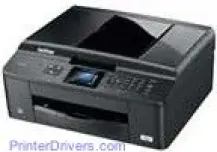
The Brother MFC-J432W printer is a classic model of the Brother brand and is capable of printing in both monochrome and color. The print heads are piezo heads that have 210 nozzles for each class of print color. One of these print heads works for monochrome while the printer requires three for the color printing for cyan, magenta and yellow colors.
Brother MFC-J432W Drivers for Windows
559668db4cb17ef3897aba4ca5ef4c936906345d10556f6419c96b1877929dac06de07a5d5af371079a01ea87aaf980697953381aa4442cd951cd7758b5d522453c384aa1f9170fc5784ac17d56488934f07d9374bb04c3845effabab13b51d9Brother MFC-J432W Drivers for macOS
78fd79beb445ca69207c973842cb35ed45bec2b5661bb87b9e0554b69d989fb06a9ef2865964ff4918dd1441876a80485fb8c329df36aa8d6680deff2eecd53ec85c3c63dab990cdcd8174f454d5f49574a5daa2d8b58cc6132d7143c95380e9949467d5fd874da4f4bcf9028483495f8319aad70483dbb26c2c4db964fbc8a7fa1b6424393a1a88134e8be364ce9c19d11742bf16a909140c18133d699e89577a561501401629bf6fa158d46c5a190eefe95941b2d995e77190840bfb4a58de59553d65e3e1fd0efacf7816fbbefce981bc6f2b27ffc20c6b452dba4c4a8d7cb77c526fc78fd1cdbc3419ab4377d20da151dcb56426986004dc3ff4d1269d68a47f2e6b9b5d9f4dc7bf154292f2e691176be4724779a06d00497673134f1a507937e51ba812a166723a6d744184a9dba6b462ae286341ad45741226a56e9a8747e26a481968bd3ae74b6d77b69c018982a7e0451375ed6990cb18cfd6c92b5963b93ad34fead819295361073d88132bda2ff2e82944f0fb4afe6aa6d9c57030cb83ee2caa0ae291e276ec4996f6d043acb2d59edcf302b92acb7ee7bcf514dd90cd6b63d301266b0190f56cd10f164a23fec03f2533d8b049e9dc3d7e534650868ee1de715a54d657a791d0077a3621bbc02efe2d1d5e69a9b3472a42f1aad040daa3f9122faf6226aaffaae0276e365e53393802217cd0fc681db5807189bbf8b36b787a34698bbe669254a86c305f6b4a595b292f97c41e6e82816be371ddBrother MFC-J432W Drivers for Linux
a2efcaacf72593d3c457c5434a51542d407a1fcb705769368ce3b5a1e19fb373357a8241e31c332f9b21fc2beefd7b8184eb113ed88c1b8c889cf11b9c0711b60653bcbda92875ad31ca2acdddd9d695c99e5bec8e5dd0824459d9171a733c3b746239cd26fd62c0d9c2ee505ffbebb84221f75f2ade6d04dbfc8ad46d99dc4d027b73648722ac8c8eb1a9c419d284a6562cc763feac9740a2b75a683b0929727d7dcbe8349ae4d4ab816e4551017f2f1fd9fd6bf3f4f3c570fbd9576248dd9f4225e91dd7f7d0ba2a202f616b15b669be7800c271a7d25efed94191f71fc4508bd395b8a25a385eb4a5e2770d4b10b17735203006b7a90a6879a0ef69e5fe4df71dadda535bb90dbfaf88fd603897f96e8b09a2f3ae9bd4e2daafb925e896e24082d824222ec7a7646309260fd661387ca1aa5dc1ffe851db7bbefe5271b755Brother MFC-J432W Specifications
The Brother MFC-J432W printer also has an internal memory of 40 MB of RAM, and the display component is a liquid crystal display (LCD). This LCD feature measures about 1.9 inches diagonally and displays in color. The power source of the printer depends on the country where the printer is in use. For instance, in Taiwan, the power source is between 100 and 120 Volts AC while in other countries it is between 220 and 240 volts AC at a frequency of 50/60 Hz.
The power consumption of this unique model of Brother MFC-J432W printer is dependent on the mode of work such as printing, copying, and scanning. The copying mode uses approximately 19 watts, the fast method is about 5.5 watts, and the sleep mode is 2 watts. The physical dimensions include a width of 405 mm; the height is 180 mm, and the depth is 374 mm while the weight is 9 kg.
The printer supports an automatic document feeder (ADF) with a width of 148 mm to 215 mm, and a length is between 148 mm and 355.6 mm. The document size for the scanner width is 215.9 mm at maximum and range of 297 mm at peak. The supported paper types include plain, glossy paper, transparency, and inkjet paper (coated paper).
These media sizes can be both standard and custom-sized papers such as A4, executive, legal, letter, envelopes, C5, JISB5, photo papers, and monarch. The maximum paper tray capacity of the printer is approximately 100 sheets of 80 gsm plain or legal documents.
Technical Details
| Title | Brother MFC-J432W Drivers |
|---|---|
| Device Type | All-in-one printer |
| Driver Version | Varies by driver and operating system |
| Available Downloads | Drivers |
| License | Free |
| Manufacturer | Brother Industries, Ltd. |