
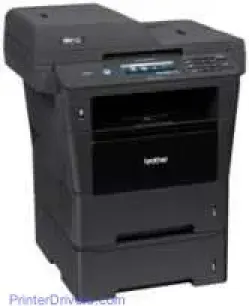
The printer has a printer classification of laser print technology as well as the electrophotographic print method. The standard internal memory capacity of the model device is about 128 MB of RAM. Also, there is an additional slot of DDR2 SO-DIMM (144-pin) that makes the memory expandable up to 256 MB. The Brother MFC-8950DWT printer also has a liquid crystal display (LCD) with a full touchscreen on a 5-inch color LCD. The power source suitable for the printer is between 110 and 120 volts of AC and 50/60 Hz.
Brother MFC-8950DWT Drivers for Windows
b64aff1825ba5e3240e5fde0b8d17bc88cd3af72803a1b341bf8399f5b6bb931Brother MFC-8950DWT Drivers for macOS
a438aa1f33362f2a479458c2f2b65b4c63587d7bc1a7c39543a860e830aa0ea9a314aeb45f7ba51cb8989699479904e66af2b3bdfe9c46e581fa2cf5cde18df0ca245471c017a7bd2f5ff15a26183b1693353ded71e7110bc9347bd97509cc0e65a76003b7261eaef78f07a2046120065ececf80908847fd66687223d4c5b25f1c314e965ea405afba0a391130d9e5dfcadfc1f48d1bc507e1e02e63f0e2be62623af72665493bb62cd501e079c0f011be6d0066b02d05bcaa36415bd4d5aa7ff3c30ec8f49d874311cee80e5d5f211322e06a36622d74e058fab18aebd711f55420c58dffa8dd20c52475af7e40da397340bce5244eb5319724c86bde3d6d526a9ef2865964ff4918dd1441876a80485fb8c329df36aa8d6680deff2eecd53e949467d5fd874da4f4bcf9028483495f8319aad70483dbb26c2c4db964fbc8a77a561501401629bf6fa158d46c5a190eefe95941b2d995e77190840bfb4a58de59553d65e3e1fd0efacf7816fbbefce981bc6f2b27ffc20c6b452dba4c4a8d7ca47f2e6b9b5d9f4dc7bf154292f2e691176be4724779a06d00497673134f1a5047e26a481968bd3ae74b6d77b69c018982a7e0451375ed6990cb18cfd6c92b59868ee1de715a54d657a791d0077a3621bbc02efe2d1d5e69a9b3472a42f1aad038c8ea20043af97da562f6e7b7ea97f22b52603e8ac2266dc1dfcf0ac1510f46Brother MFC-8950DWT Specifications
The peak performance of the printer allows power consumption of up to 1200 watts at 25°C. The copying and printing processes, however, consume about 702 watts in normal mode. Quietly, the two methods use up to 350 watts of energy at the same temperature. The active process uses up to 9.8 watts; the sleep mode requires 6.8 watts and the deep sleep mode, 1.6 watts.
The physical dimensions of the Brother MFC-8950DWT printer model include a width of 19.3 inches and a depth of 16.3 inches. The height of the device is about 18.8 inches, and the weight is about 17.7 kg (39 lbs). The noise level includes a sound pressure that depends on the mode of the printer. The printing mode produces 59 dB(A), the quiet mode releases 54 dB(A), and the ready style supplies 37 dB(A). The temperature range for optimum performance of this device is between 10 and 32.5°C for operations. For storage, the acceptable range is between 0 and 40°C strictly.
In terms of humidity, the operating range is between 20 and 80 % without condensation. For storage, however, the field is between 10 and 90 % without condensation. The printer also supports paper types such as plain, thin, and recycled paper. The paper sizes include letter, A4, A5, B6, A6, executive, and legal documents.
Technical Details
| Title | Brother MFC-8950DWT Drivers |
|---|---|
| Device Type | All-in-one printer |
| Driver Version | Varies by driver and operating system |
| Available Downloads | Drivers |
| License | Free |
| Manufacturer | Brother Industries, Ltd. |