
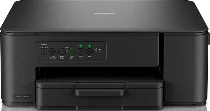
Brother DCP-J1260W Driver helps the computer communicate with this wireless all-in-one inkjet for printing, scanning, and copying. After installation, the operating system can identify the printer and send jobs to the correct hardware. Wireless networking lets print commands move over the local connection instead of a USB cable. When the connection stays stable, scan data and printed documents can pass between the computer and the machine correctly.
Brother DCP-J1260W Drivers for Windows
bf1b6b00c6b367491b36925fdee69233541fdf73b846deb9e2e5a8e09dfc642013e17877a6865860a35fc7a59dd4340ce6c384e1f0eefd83f29fac5532d36ab613e17877a6865860a35fc7a59dd4340ce6c384e1f0eefd83f29fac5532d36ab60edce9170c3f46f065e52aa6335c093befa453212698a94c7d59fcfc5197fa7e0917273bb5bc10ee4775f36bd98bd05152835bf5370614cf5a803ffa9260b0adBrother DCP-J1260W Drivers for macOS
6efd6f472347572d8db71bb88f7d68b56ec0f04b421822130a415ea161921d96Brother DCP-J1260W Drivers for Linux
25a7f19075ca13528636d8ba8691a0c0268bbc336122f73fd2193299260f846535b3d25b13c7bcad91742812532257a6f6f0252153891682017e840795832df09c3a200db3dc7b2b3332dff8c5226b4f3ee560d20b2e1f4918b1faf7124517b2197f63a52e89b8744f5a3c2d843abb3b76d003d5d4830bdfe675c44841a6c72bcda25534ea8e3018e7d46b970cb08b36084355adedc933aba0c8c7d03e903db901dc859f1978e645147ced5ec4b5448cc3e26b1c6d2f1104834f5891c0e17469d724746540a51f8286f2a318b47657227f7131d384a1a4f0475dacb7e3580f3ee74ef3a5529ebf3b26d6139ce15d75374a4538ba2efd48c28b209b0d705e5ec72ba3bffcf199fee6387cb79d6923214648db0f2df1c5a13f8f8f0a6fe0995c401404f2622e60470b4de25d0cdb4adc0f130ace6b380cc0d4b3d7714ad761c1ae82aa17ba2e331de1fcb34f0a839d27b9b193ac680d9742250a89e588a6bd56206c4e17c6dbcf263d9d08fb460ccd5b9f1a23fce79b30d0a41d96a224839322b2Brother DCP-J1260W Specifications
The Brother DCP-J1260W is a colour inkjet multifunction printer for printing, scanning, and copying, with no fax hardware. Printing relies on piezo heads carrying 210 black nozzles and 70 nozzles for each colour channel. A four-cartridge ink set supplies black, cyan, magenta, and yellow. The controller carries 128 MB of memory, while local operation uses button controls rather than a touchscreen.
Print resolution reaches up to 1200 x 6000 dpi. On A4 paper, one-sided output runs at 16 ipm in mono and 9 ipm in colour. First print out time is 6.2 seconds for mono and 9.6 seconds for colour. Scanning comes from the flatbed glass, with 1200 x 2400 dpi optical resolution and 19200 x 19200 dpi interpolation. Copying produces up to 99 pages and scales from 25 to 400 percent.
Paper input comes through a single front tray holding up to 150 sheets of 80 g/m² plain paper. Printed sheets collect in a 50-sheet output tray, although glossy media should be removed as pages exit. Size support covers A4, Letter, Legal, Executive, A5, A6, several photo sizes, index card, and C5, Com-10, DL, or Monarch envelopes. Borderless output applies to A4, Letter, A6, and the listed photo formats.
USB Hi-Speed connectivity uses a Type A/B cable up to 2 m. Wireless networking covers IEEE 802.11a/b/g/n infrastructure mode and Wireless Direct, while network printing and scanning run over the wireless connection. Setup can use WPS, with wireless security covering WEP, WPA-PSK, WPA2-PSK, and WPA3-SAE. Physical dimensions are 390 mm wide, 343 mm deep, and 148.5 mm high, and the listed weight is 6.3 kg.
Technical Details
| Title | Brother DCP-J1260W Drivers |
|---|---|
| Device Type | All-in-one printer |
| Driver Version | Varies by driver and operating system |
| Available Downloads | Drivers |
| License | Free |
| Manufacturer | Brother Industries, Ltd. |