
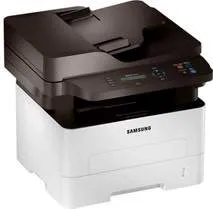
The Samsung Xpress SL-M2876 model of printer uses laser print technology and is a standby printer for monochrome production. This machine has two lines of display of the printer status through the liquid crystal display (LCD) screen. It can also produce up to 12000 impressions per month at maximum productivity level. Whereas the standard internal memory of the machine is up to 128 MB of RAM. Also, the device can produce the first-page printout only after 8.5 seconds of issuing the command.
Samsung Xpress SL-M2876 Driver for Windows
Driver and Software for Mac OS
Driver for Linux
Specifications
In terms of the consumables in the package, it uses a black toner cartridge that can produce 1200 pages before exhaustion. When at the sleep mode, the power consumption is about 0.9 watts, while the standby mode uses 45 watts. Then, at optimum operational performance, the printer power usage is up to 400 watts. Basic copying features include 2-up, 4-up, ID card copy, and poster copy amidst other features.
While copying as well, the machine can run at a speed of up to 29 copies per minute (CPM). But the copy resolution cannot exceed 600 x 600 dots per inch (dpi). The Samsung Xpress SL-M2876 machine also has an EPEAT Bronze compliance as well as ENERGY STAR certification for suitability to the environment. In terms of printing, the Samsung Xpress SL-M2876 model can produce a print quality of up to 4800 x 600 dpi. The printer driver or emulations also include the Samsung Print Language (SPL), PCL 6, and PCL 5e.
When printing as well, the rate of work can reach 29 ppm while the first-page printout will be 8.5 seconds. Also, the sound emission from the machine is about 26 dBA when idle and 50 dBA when in operation. The main input paper tray will hold 250 sheets of plain paper while the bypass ray holds one at a time. On the other hand, the output tray will accommodate 120 sheets of printed documents. Download Samsung Xpress SL-M2876 driver from HP website