
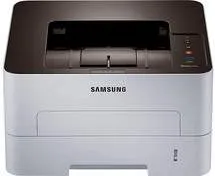
The Samsung Xpress SL-M2620 model of printer has a width of 14.49 inches, and its depth is about 13.17 inches. Besides, the height of the machine is up to 7.95 inches while the weight is up to 15.43 lbs. The active mode of the device produces a sound emission of less than 26 dB (A). The print mode can produce up to 50 dB (A) at optimum capacity for printing. Also, at maximum operation, the temperature range is between 10 and 30°C. The packed machine, on the other hand, is at best in an environment within the scope of -20 and 40°C.
Samsung Xpress SL-M2620 Drivers for Windows
e4256eca5151a5c923b75e781c763b961f6230ab465a23999eeb417bd58ee27f3ff2baaf2955018ecceec6e63fd07e02c634456cf80b71f58776d2126fbccacd6b1eff1912181155c788d22c8097affd3726cd033a309b595289c463065d9d6f25204d7528776097d2df01e3e52826fa3c1e1c5eb500dca05d9cf1b5c6a751057e9244b9d42a27e6f2c712bfb8addd0bc3e9124da262072b9e9fa5ab73746534Samsung Xpress SL-M2620 Drivers for macOS
e9ce51d39f7213706576e7c849700138a5766a933a2b6e5629f2d3b5a1ca9000bc18583816cd150a2ae02c30876bc4aa9f333848c5184d9767d319cc189b4b11ea995db0379d724a1cc31757e21c49a288bea02bb2784333bf6138fd371c564dSamsung Xpress SL-M2620 Drivers for Linux
0c38213b846644500526bf281caaa6e36c40b8f2241cac2f0398c97c3814540eSamsung Xpress SL-M2620 Specifications
On the other hand, the relative humidity range is between 20 and 80% during a typical operation. But when in storage, the acceptable humidity range is between 10 and 90%. Also, this Samsung Xpress SL-M2620 printer can either belong to the 110-volt or 220-volt range. This fact is because the former class supports the range between 110 and 127 volts. On the other hand, the new range is between 220 and 240 volts, to perfect its print qualities.
In terms of power consumption, the normal operating mode is less than 400 watts at optimum capacity. The active mode requires a usage that is less than 45 watts while the power saver mode is 0.9 watts. When the printer is, however, in power-off mode, the usage is less than 0.2 watts. By the way, the network standby mode at all port activation is less than 1.16 watts with module number SPW-B43195.
The compatible media standard sizes include letter, legal, US Folio, A4, Oficio, JIS B5, ISO B5, Executive, A5, and A6. In terms of the media types, the options include plain paper, envelope, thick paper, thicker paper, thin paper, and transparent films. The other options may consist of card stock, labels, and bond paper.
Technical Details
| Title | Samsung Xpress SL-M2620 Drivers |
|---|---|
| Device Type | Printer |
| Driver Version | Varies by driver and operating system |
| Available Downloads | Drivers |
| License | Free |
| Manufacturer | Samsung Electronics Co., Ltd. |