
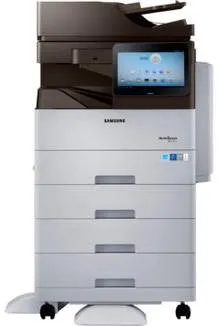
Samsung MultiXpress SL-M5370 model uses a laser print technology that optimizes the print resources. It can also produce up to 300,000 pages at optimum performance in a single month. The manufacturer of the printer only recommends a volume of not more than 15000 in a month. Then, the office machine features include a save to USB flash drive, scan to e-mail, and scan to network. It also has a control panel with a color touchscreen that measures up to 10.1 inches in diagonal size.
Samsung MultiXpress SL-M5370 Drivers for Windows
e4256eca5151a5c923b75e781c763b961f6230ab465a23999eeb417bd58ee27f21ffd5214249669b2527c4fff80268367257ea7aac84b617e3e0d4ef5a2b94789e9c2303f43c2930616b8d12c47f9001df9ff9eae8b5c42bf05877faf26535194fc92b9de4674a86af2e33c899e7e2cf4cb13f29d58b21fbb345934e475cec3eb070e320cb18bc9efe3dbdb1daa1214887d255e5b44005721f2e05710a5cbe6b705769e145b7db68036765abb054c15bd878ed8cf0f9a6a84e5eb516f04291fa7e9244b9d42a27e6f2c712bfb8addd0bc3e9124da262072b9e9fa5ab73746534Samsung MultiXpress SL-M5370 Drivers for macOS
3c10f58d3947675000843d1dd28d59bd732d4559c810da855d593d11724b8a36b7e15d1bbe956a575d2c093913d578cb933b351f67de0353155b6a735325f9c5a13be82c637ccc46528605ff1295ebbca409467ec93dfe7dcb16cea03fc8dfeeee03c7ee8f0a9af7a35e6dfb98df863d8d6815a4b79c332ad9747e2a65e7d16bSamsung MultiXpress SL-M5370 Drivers for Linux
0c38213b846644500526bf281caaa6e36c40b8f2241cac2f0398c97c3814540eSamsung MultiXpress SL-M5370 Specifications
The Samsung MultiXpress SL-M5370 machine supports the use of mobile printing features, such as Apple AirPrint and Google Cloud Print. It also has a standard memory of about 2 GB, which is its maximum memory capacity. Besides that, it has a hard disk drive capacity of 320 GB for a smooth run of the printing affairs. The rate of printing the first page is less than 7.5 seconds for black and white printing at ready mode. Also, the power consumption of the printer depends on the printer’s state.
For instance, the power consumption for the sleep mode is only about 1.5 watts, whereas the operational power consumption is up to 1000 watts. In terms of the copying mode, the speed is up to 53 pages per minute (ppm). Then, it has a resolution of up to 600 x 600 dots per inch (dpi) for the black and white copies. Besides, it takes less than 4.5 seconds for the machine to produce a copy out page. Other exciting features include edge erase and margin shift.
Printing speed and resolution is also the same as those of the copying specifications. The supported printer drivers include postscript 3, PCL 5c, PCL 6, and PDF v1.7. However, it takes less than 7.5 seconds for the very first page to come out.
Technical Details
| Title | Samsung MultiXpress SL-M5370 Drivers |
|---|---|
| Device Type | All-in-one printer |
| Driver Version | Varies by driver and operating system |
| Available Downloads | Drivers |
| License | Free |
| Manufacturer | Samsung Electronics Co., Ltd. |