
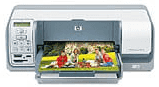
With the HP Photosmart D5163, users will be getting their hands on an advanced technology printer. This model comes with the perfect photo printing quality. If you value your money, then this is the device you should rely on for your printing needs.
HP Photosmart D5163 Drivers for Windows
5d439540649e819cb4c5f2cf5a263c060ff4795da8854ecc31350be049fd8fc0729b83e7987a9d9fdca9bec62377582691eb84eb70a1b50fb216e92384c34acace3f0be54b403737e5deb48d0caf0be455057766812cd667ec4fa57fa841ac3d65b36843c7b983bcab0f0e974bf91c8b8b4c0a9b107a011aef870df32dcac8e5e908a5aa5c0aa0c307a36552ebfd859cb4b9fb8e531e4f83795040dcf23a6f36f13a1629849985c32c106f30b6ee153b02ec4e95f7f47652abe16a1b13b1e4d7HP Photosmart D5163 Drivers for macOS
a874b44828da952a4c1cee5d4df089e2518db0fea39097218a65e32ef30a04448161369f40e15f593a8d6630f52b002d5e9fb7206371c48a397fc35134337841The HP Photosmart D5163 printer has support for 1200 Black dpi and 4800 optimized color dpi resolution. For black color printouts, the printer has a speed of up to 23 pages per minute. But for color printouts, the printer has a speed of up to 21 pages per minute. And for photo processing, the device takes almost 27 seconds for a photo measuring 4 x 6 inches.
For input and output, the printer accepts input from the USB port, memory card slots, and Bluetooth Wireless printing technology. It also has support for iPod. The printer can also be used to print on CDs and DVDs.
This device, HP Photosmart D5163, can easily handle up to 125 sheets on the main input tray. But for the output tray, the limit is up to 50 sheets. The printer supports various media types. These include plain paper, envelopes, transparencies, labels, cards, CDs, DVDs, etc. It has a duty cycle of 3000 pages per month.
As for the portability of the device, it is effortless to carry around. The printer only weighs 4.2 kg, which is very lightweight. The height, width, and depth are about 15.8 cm, 46.5 cm, and 23 cm. This printer has a specific operating range so that it can work efficiently. Although the storage range varies significantly, the operating range is slightly different. Users can store the printer at temperatures between -30 and 65° C. But for operation, the temperature must lie within 15–30°C. The device doesn’t generate ozone gas; thus, it is perfectly suitable for the environment. Plus, it consumes less power and energy.
Technical Details
| Title | HP Photosmart D5163 Drivers |
|---|---|
| Device Type | Printer |
| Driver Version | Varies by driver and operating system |
| Available Downloads | Drivers |
| License | Free |
| Manufacturer | HP Inc. |