
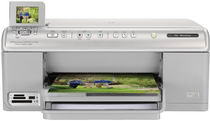
The printer supports sharing and printing documents from notebook-enabled PC while using the built-in wireless. With this printer, you can also produce high-quality photo scans with stunning image clarity and precise detail. The all-in-one printer can scan, print, and copy documents from an original. The physical dimensions are 17.9 x 15.97 x 8.17 inches and a weight of 16.4 lbs.
HP Photosmart C6350 Driver for Windows
Driver and Software for Mac OS
HP Photosmart C6350 cartridges
Black Ink HP 564 Cartridge (~250 pages ), HP 564 Cyan Ink Cartridge (~300 pages ), HP 564 Magenta Ink Cartridge (~300 pages ), HP 564 Yellow Original Ink Cartridge (~300 pages ), HP 564 Photo Original Ink Cartridge (~130 pages )
Printer Features
1. HP Photosmart C6350 printer is characteristic of high-quality documents and photos and a five-ink system of cartridges. The user can replace the cartridges with individual inks when they run out.
2. Print documents and pictures of up to 5 x 7 inch with swapping out the paper using the automatic photo tray.
3. The printing speed of this Hp printer is up to 33 pages/minute (ppm) in black and 31 ppm in color while photos are at 18 secs. Users can get three times more black pages and 2.5 times more color pages when using high-capacity cartridges.
4. Save ink and paper when printing by combining multiple web pages into one with HP Smart Web Printing.
5. The printer functions with a five-ink printing with HP Vivera inks that allow users to print photos by using the dual-drop volume technology that delivers tiny drop size.
6. The print speeds are up to 33 pages per minute (ppm) in black while up to 31 ppm in color. it prints photos in as fast as 18 seconds
7. When scanning, the resolution is 4800 x 4800 dpi with a 48-bit color depth.
8. Copy speed is up to 33 copies per minute (CPM) in black print while it is up to 31 pm in color. the copy function allows the user to reduce or enlarge and even change the copy quality and size.
9. Connectivity options include hi-speed USB 2.0 port and an Ethernet connection.