
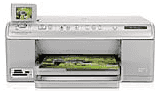
HP Photosmart C6340 Drivers for Windows
ad6695f2c8a54440c2fe09ab80f7f6f2da486d494fce3d32a9b768342d0b76b0dbe1a2f95e984da88ade984b6d2840c0200fde58b516c6b15131ee2c8bea16084b202ff92c6e750e5e2db91117cb13137df5ad78b1baa1efea88a6b985a306496034c06b604ad1bd7fc030167d25071ab60525a9f961cc1f9f39ba1cc4ce9dbdHP Photosmart C6340 Drivers for macOS
c317b8b6587ebc5eb35675d1d1047b6aed832ef3f93be527c4e7b54e625577e7ba897d0a374719b32f0d90658dadf6c25e283f5aa9af133906043d75e44e5314Introduction of HP Printer Photosmart C6340
This driver is usually used for the HP C6340 all-in-one printer. It was designed by HP and has a unique and different design. Primarily all-in-one printer series will provide all the functions like printing, scanning, and copying. It is very beneficial for schools, colleges, and small business owners, because of its compact size. It takes up very little space and can be installed in a very proper and easy way.
The driver for HP Photosmart C6340 Printer supports Windows operating systems such as Windows Vista, Windows XP, and Windows XP Professional. And the minimum requirements for these Windows versions are Intel Pentium 2, Celeron and 233 MHz for Windows XP, XP Pro with a minimum RAM of 128 MB. And for Windows Vista, a modern processor of 800 MHz and 512 MB RAM are required.
HP Photosmart C6340 Photosmart C6340 cartridges
HP564 Black Ink Cartridge (~250 pages), HP 564 Cyan Ink Cartridge (~300 pages), HP 564 Magenta Ink Cartridge (~300 pages), HP 564 Yellow Original Ink Cartridge (~300 pages), HP 564 Photo Original Ink Cartridge (~130 pages)
Some of the basic features of HP printer C6340
Print technology
The printer uses the technique of printing the documents from a thermal inkjet. From this inkjet, you can quickly get the best quality of printing.
Size of paper
It includes various types of paper and their different sizes like letter, legal, A4, HV, and photo card. All these papers come in very different sizes such as 216x279mm for the letter, 216x356mm for legal, 210×297 for A4, 101×180 mm for HV and 100×200 mm for photo card.
Paper capacity
The printer includes a capacity of 125 sheets of plain paper in the input tray and 50 sheets in the output tray. And for the legal paper, the capacity is 100 sheets in the input tray and ten sheets in the output tray. For cards and envelopes, the capacity is 20 and 15 sheets in the input tray and 25 or 15 sheets in the output tray.
Printing
HP C6340 printer has the printing feature too with speed of 34 pages per minute for black. And 30 pages per minute for color print. With the resolution of 9600 dots per minute and language include PCL3 GUI for better printing.
Copying
This printer gives the best quality of copying the document quickly. The speed of copying the documents is 33 pages per minute for black and 31 pages per minute for color.
Scanning
The resolution of scanning a document is 4800×4800 pages per inch, and you can edit image also through this printer.
Technical Details
| Title | HP Photosmart C6340 Drivers |
|---|---|
| Device Type | All-in-one printer |
| Driver Version | Varies by driver and operating system |
| Available Downloads | Drivers |
| License | Free |
| Manufacturer | HP Inc. |