
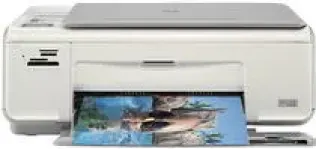
HP Printer Photosmart C4288 cartridges
Black Original Ink HP 74 Cartridge (~200 pages ), HP 75 Tri-color Original Ink Cartridge (~170 pages )
HP Photosmart C4288 Drivers for Windows
78364438591f51ca3c48da364e19a773855f29a779b04155d86e39c72c17e601d0c728c7c971ee449452d5e897686d82712e2938ab1e90e1e37551c3d7f215d9e470ae2565de0e9acf4ec80da11f8e75af42214a668a1d5a890214a7714cb7b78e86e4a349c737ffea443156e5bb1cb6cd7de4d3b5a210d0e18e47471e3e8e260d28ce3fa13b1b668316498d7016472b9077a932c26769873d7f5a97f2d55148HP Photosmart C4288 Drivers for macOS
0205059d568e141eead6f396640cba564e4ec207802dd974c2d2b39f03dee733b3982db022d263cf5f97b011c4d75ac3021a2cace5908011dbe32a2078a4c424HP Photosmart C4288 Printer Description
The printing device belongs to the family of printer series referred to as the C4200. The part number is CC210B. HP Photosmart C4288 driver supports some Microsoft Windows Operating System versions 2000, Windows XP, Windows Vista, Windows 7 or higher versions. Each of these OS versions has its specific minimum requirements of Processor type and speed, RAM size and minimum free hard disk space. The connection is through the Hi-speed USB port. The printer also supports Microsoft Internet Explorer browser. More so, apart from Windows OS, the printer also supports Macintosh OS versions X 10.3.9 or higher versions with specifications.
HP Photosmart C4288 All-in-One printer driver Downloads for Microsoft Windows 32-bit – 64-bit and Macintosh Operating System.
Printer Specifications
1. The printing method is the drop-on-demand thermal inkjet technology that helps to economize the printer ink capacity.
2. The printing speed of this device mainly depends on the complexity of the document and which of the printer models is in use.
3. The printing resolution depends on the printing mode. For instance, the resolution is 600 x 600 dpi for black printing in the standard way. However, for color printing, the resolution is 4800 x 1200 optimized dpi with the aid of HP PhotoREt III software.
4. This device has a monthly duty cycle of 500 printed pages on the average. The maximum monthly duty capacity, however, is 5000 pages.
5. The total number of sheets the input tray can hold is 100 sheets of plain paper while the output tray holds about 50 sheets.
6. The copy function has digital image processing that can produce up to 99 copies from the original document.
Other Specifications
The printer cartridges are available from HP stores worldwide. Users can also get them from trusted stores worldwide. The device supports a variety of media sizes such as Legal, Transparent films, plain paper, index cards, photo papers, envelopes, etc. All of these sizes are of standard sizes. Memory cards are usable on the printer as well with a capacity to store up to 1000 different files.
Technical Details
| Title | HP Photosmart C4288 Drivers |
|---|---|
| Device Type | All-in-one printer |
| Driver Version | Varies by driver and operating system |
| Available Downloads | Drivers |
| License | Free |
| Manufacturer | HP Inc. |