
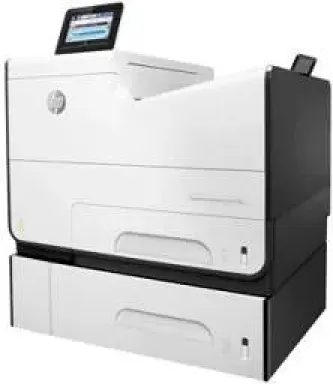
The print rate using this particular product is up to 50 pages per minute (ppm) for the ISO standard mode while draft mode runs at 75 ppm. These rates apply to both monochrome and colored printing. The first page gets out only after 7.1 seconds after sending the command for monochrome print. For colored printing, on the other hand, the first page gets out after 7.3 seconds.
HP PageWide Enterprise Color 556xh ink cartridge.
The printer’s duty cycle is at a maximum measure of 80000 printed pages in a month while HP recommends between 2000 and 7500 pages. The print technology is the HP PageWide Technology with pigmented inks. The printer uses four cartridges for black, cyan, magenta and yellow colors. Each of these cartridges has its replacement models when they run out, but they must be HP-approved.
HP981A Black Original PageWide Cartridge Yield* (6000), HP 981XL High Yield Cyan Original PageWide Cartridge Yield* (10000), HP 981A Magenta Original PageWide Cartridge Yield* (6000), HP 981A Yellow Original PageWide Cartridge Yield* (6000)
HP PageWide Enterprise Color 556xh driver connectivity options of the printer include the two standard hi-speed USB 2.0 ports, mobile printing, and wireless capability. Also, it has one Gigabit Ethernet 10/100/1000T network connection, one hardware integration pocket, and an NFC interface. Optional connectivity might be the HP JetDirect 3000w NFC or HP JetDirect 2900nw Print Server J8031S.
HP PageWide Enterprise Color 556xh Drivers for Windows
5f297752f6e17f582d6f3a72f407ef593297432a2c7727bd5833d9758dd854255878be31c4d22ceac692ca725b21ef2734588941ee050a6bda9aac3d49d27768bd1236b6c9f79065ebd4ea2703a44a083894bfe1f081ac452d80f3d9cea0b9e2e8bb4bd87917b27d26153ba8c297856cb82550325147422caab5f995eef1f826bde723776c4d5e05c97e72d69931b84d339853dcf1b248044b4d2342b6415894806e7de262704d5dd52a03fc12cda49757d65b37154957236228035853d609961185d018fe13ad50175dffa641770790d9e0c87f31799bc5a6768060e50bc204ffd4461878d45eaec730b237a247946f968fd4a9e51a03d7c49775cefdfbc61aa64a14568e484b3d08f3338dc709287193f7b7cd8f109518b28c3ae0701bc69f822ffbb02f33a5d18f8485b0674c35efc801e8890cf1dde41137c0956a7eed880693173d8d1f6947263cafc7c835af79ba70153feb0bd4453f557497c24c8930037d971359cf89f9333e8ee9616e32b360ad424519b4d9f60f41c63e02b26e4341828dc31c13c10f42f9a3d38f98e3306b0acae2a60b9228f4f8561f6e56e2c8f938a5f1efeb1cfbcc16a16e890240bbc89428f0d5a90a0ecc9b1f35e3983d1074a380a23437c4fefad00a5e8eb4e07567573dcbb0252028ec8cb705964e9a77HP PageWide Enterprise Color 556xh Drivers for macOS
8f24fa0f77e76f4013f26fd7fb8b50a43bcee1cf14873746a0f571d0222a0db2HP PageWide Enterprise Color 556xh Specifications
The best print quality for black is at an optimized resolution of up to 1200 x 1200 dots per inch (dpi). The maximum resolution at the best mode of the printer is up to 2400 x 1200 optimized dpi. The display feature has a 4.3-inch touchscreen with Color Graphics Display.
This feature applies to printing from a computer on HP ColorLok paper and HP Premium InkJet Presentation Paper Matte. The lesser resolution of 600 x 600 dpi applies to printing on HP InkJet Brochure Paper Matte. The built-in processor speed of the printer is 1.2 GHz.
Regarding paper handling, the printer has two 500-sheet capacity trays and a 50-sheet multipurpose tray. Also, users may like to add an optional input tray of 500-sheet capacity with an integrated stand. The standard output tray capacity is 300 sheets of plain paper.
Technical Details
| Title | HP PageWide Enterprise Color 556xh Drivers |
|---|---|
| Device Type | Printer |
| Driver Version | Varies by driver and operating system |
| Available Downloads | Drivers |
| License | Free |
| Manufacturer | HP Inc. |