
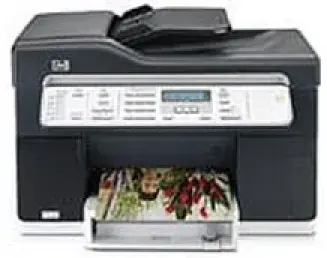
HP Officejet Pro L7380 is a multi-function printer that is suitable for small offices and businesses. It is a very affordable printer with great scanning and printing quality. The printer is an Energy Star device that consumes less power and natural resources. The print method of the printer is drop-on-demand thermal inkjet and the device language of the printer is HP PCL 3 enhanced.
HP Officejet Pro L7380 Drivers for Windows
d933ac1d44322cb2d5960dc5ad3301c80acd5359170554b5310e086b2391b0395cf2b60eedafebc91bff08a683f65537c93f1937ecb1da807df5d1089c972392027b9518869c7b399cd62d1a0c784332a4cc5a3c6c6a33c60aded1ec9a2bfa2f5cafa735465fa7977eb6d7a33422136b258bd2791502d2600c389d9ca7636e79053406f985bc487eed9e0aec5d9f80afc2e13ef796c0d41d59f18b1319e0e295cb0edd71f0e3ba796e745e814f6b4913bb0469261bb0903667e2e3eaf13abc698effb31452c94025b91fb3b0a6ae79d56ef75eb9ed6671f09b77ab0b570b3102c9307b6dfcbb89d4ca78e174072b9616429d9d6aa8b397e7fe0f5e12f2554c1743cdafdff6f67d45c14da8c300f90c8f3681fdd8d29264e6975186b1847762aeHP Officejet Pro L7380 Drivers for macOS
8ca0570e2fe4dcc7cefbd58a6162a659760fbcc74f14223f933cde7b8a36930cf2e871cce16134b212f1bcb5a1248f81cef609098ac43245971534134975ebb3This printer is fully compatible with both Windows and Mac operating systems. It supports Windows 2000/XP/XP 64-bit. The minimum RAM requirement for Windows operating systems is 128 MB, and the minimum free disk space requirement is 280 MB. For full-color scanning, an additional 50 MB of free disk space is required. The printer is compatible with Mac operating systems, such as Mac OS X 10.3.9 or higher. The minimum RAM requirement for Mac OS is 128 MB, and the minimum free disk space requirement is 100 MB.
The physical dimensions of the printer are 273.05X496X403.2 mm, and the weight of the printer is 9.7 kg. The print speed of the printer in black is up to 20 ppm and in color is up to 13 ppm. But, the print speed varies, and it depends on the document complexity.
The duty cycle of the printer is 7500 pages per month. The printer can copy a maximum of 99 copies. The printer’s scan resolution in best mode is 600X1200 dpi and in normal and fast modes is 300X300 dpi. It can enlarge a document up to 400%.
This device supports a wide range of paper types, such as paper, envelopes, transparency film, cards, labels, custom, etc. Tray 1 and the output tray support all media types. The scan resolution of the device stands at 1200X2400 dpi. The printer runs on 100-240 VAC input voltage and an output voltage of 32 Vdc.
Technical Details
| Title | HP Officejet Pro L7380 Drivers |
|---|---|
| Device Type | All-in-one printer |
| Driver Version | Varies by driver and operating system |
| Available Downloads | Drivers |
| License | Free |
| Manufacturer | HP Inc. |