
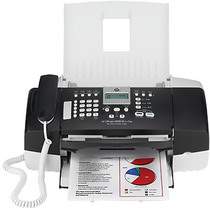
The HP Company manufactures the various types of printers such as photo printer, laser printer and all-in-one printer. If you are looking for an HP all-in-one printer, then HP Officejet J3650 is the best option. This printer offers you the complete package of your printing solutions. You can quickly perform the function like scan, fax, print, and copy from a single device. It uses the method of drop-on-demand thermal inkjet for printing the documents.
HP Officejet J3650 Driver for Windows
Driver and Software for Mac OS
HP Officejet Printer J3650 cartridges
HP 901 Black Original Ink Cartridge (~200 pages ), HP 901 Tri-color Original Ink Cartridge (~360 pages )
Specifications of HP Printer Officejet J3650:
The resolution of this printer is up to 1200×1200 dots per inch for a black document or 4800 dots per inch for a color document. Its monthly duty cycle is up to 1000 pages per month. The speed of copy a document in best mode is up to 0.8 pages per minute for black and color with a resolution of up to 600×1200 dots per inch.
It uses the OCR software for converting the scanned text to editable text. The scan speed depends on the complexity of the document. Resolution of this printer is up to 1200×1200 dots per inch Optical and up to 19200 for enhancing (software). The resolution of faxing a document is up to 196×203 for black and 200×200 dots per inch for color.
Supported operating system for HP Officejet J3650 driver:
1. Operating system: Windows 2000, XP, XP x64, Vista and Mac OS X 10.3.8, 10.4.6 or higher.
2. Processor: Intel Pentium 2, 800 MHz 32-bit, and 400 MHz Power PC G3.
3. RAM: 128 MB, 512 MB, and 256 MB.
Latest operating system for HP Officejet J3650 driver:
This printer is compatible with the most recent version of the operating system including Windows 10, 8, 8.1 and Mac OS X v 10.13 High Sierra.
Features of HP Printer Officejet J3650:
1. The printing language of this printer is LIDIL.
2. It enlarges the documents from 25% to 400%.
3. Image editor and digital image processing also included in this printer.