
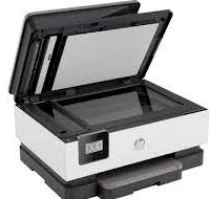
The HP OfficeJet 8014 Driver is the inbuilt capacity for the machine to perform multiple abilities, including printing, copying, and scanning. It has connecting ports, including a wireless 802.11a/b/g/n within an inbuilt system. When copying, this machine allows many features, including the number of copies, two-sided copying, and contrast adjustment to darker or lighter output.
HP OfficeJet 8014 Drivers for Windows
9a8f261921ad625df9712e2a4b11c021504d592145922651455de58397c85a9b0670bedcbd201cc0316a64c2b48ecc8d986913e657f77d1605423a4c19719e6599acd1183f50229af704d87f0476f8baa2c800593139e18d322011101a4135342f92fdda886ff61322267491d919546ee90c5c8a688eaf9d89f24a8cde5b5c842f92fdda886ff61322267491d919546ee90c5c8a688eaf9d89f24a8cde5b5c842f92fdda886ff61322267491d919546ee90c5c8a688eaf9d89f24a8cde5b5c84HP OfficeJet 8014 Drivers for macOS
0a8609067d72cfa008c5d5f0eb2136fd03b29399424f60659bb121d5c101fe97HP OfficeJet 8014 Specifications
Other features include the margin shift, crop copying, collating, copy preview, and enhancements. It is also capable of color copying to produce a maximum of 99 copies from a single original copy. It can also zoom between 25 and 400 % while running at 28 copies per minute (CPM). The copy resolution for this device is 600 dots per inch (dpi). The acoustic power emission is about 6.5B(A) during active printing at 15 pages per minute (ppm).
On the other hand, the acoustic pressure emission is 61 dB(A) when printing at 17 ppm. In addition, the recommended operating humidity range is between 20 and 80% relative humidity. As for the operating temperature, the range is between 15 and 320C. But when the machine is in storage, the range is between -40 and 600C. The internal memory is about 256 MB, the maximum capacity for the DDR3 SDRAM component.
Meanwhile, the HP OfficeJet 8014 Driver also supports mobile printing services such as Chrome OS, HP Smart app, Apple AirPrint, Wi-Fi Direct Printing, and Mopria certification. This machine can hold up to 225 sheets of plain paper in the standard input tray concerning paper handling. However, the output tray capacity is only for 60 printed paper sheets. The media sizes supported A4, A5, A6, B5, cards, photo paper sizes, and envelopes. The machine is also capable of borderless printing on photo paper only.
Technical Details
| Title | HP OfficeJet 8014 Drivers |
|---|---|
| Device Type | All-in-one printer |
| Driver Version | Varies by driver and operating system |
| Available Downloads | Drivers |
| License | Free |
| Manufacturer | HP Inc. |