
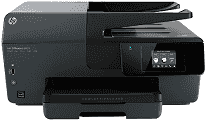
If you are planning to buy the all-in-one printer, then HP Officejet 6820 is the right one for your office printing requirements. This printer consumes the power of 25 watts while performing functions, 4.9 watts in active mode, 0.33 watts in manual-off mode and 1.35 watts in sleep mode. The input voltage used by this printer is 100 to 240 VAC with 50/60 Hz and +32v/+12v at 468 mA/166mA as an output voltage.
HP Officejet 6820 Drivers for Windows
8e59c471ae2eb3b5e86e956b8d054e5f980aaf2cd671f47d0665a70b4819435ff5bc1a0c831e1062e53c1bed555246ee9e8f1e5db24e24d96c0da7200f666b3b9f7adda63bce766b2667a933def328f5d6512420f0383b0af67be72c16c729d0d2f18088da8df16f0017983756626431eeeeddb0e386dd19a223c89e5a6a9c4fce728403422ec1c590fb971561abec94e476484815326373058a39afd61bccc2cc5c7d9a9f83c8f0133c25117e3ec2eddb63bb42f93ef455246cb578202c6e9365600b3146322a625534e02a701fc04e05403b71f61f358d6358f868ffc1c676HP Officejet 6820 Drivers for macOS
99e1d18847c64a405486ae34424f0a1c8d89920d17df86c45b6b0007f101d70aWhen talking about the printing specifications, this printer has the resolution of 300×300 dots per inch in draft mode, 600×600 dpi in Normal mode and 1200×1200 dpi in Max DPI mode. The printing technology used in this printer is drop-on-demand thermal inkjet with HP PCL 3 printing language. HP Officejet 6820 printing speed is 29 pages per minute for black print and 24 ppm for color print. It has a monthly duty cycle of 15000 pages.
This printer can enlarge the document from 25% to 400% and uses the digital image processing method. The speed for copying the documents in best mode is 3 copies per minute for black and 1.5 CPM for color and 10 CPM in normal mode for black and 7 CPM for color print. In fast mode, the speed of this printer is up to 28 CPM for black and 24 CPM for color.
HP Officejet 6820 scanning specifications are 1200×1200 pixels per inch resolution for optical scanning. It uses the TWAIN-compliant interface while performing the scanning function. While performing the faxing function, this printer uses the 33.6 kbps transmission speed for faxing the documents. It can also save the 99 contacts as speed dial numbers for faxing the documents. This HP Officejet 6820 driver supports the various file types which include TIFF and PDF, etc. The resolution for faxing is 203×196 dpi for black and 200×200 dots per inch in color mode.
Technical Details
| Title | HP Officejet 6820 Drivers |
|---|---|
| Device Type | All-in-one printer |
| Driver Version | Varies by driver and operating system |
| Available Downloads | Drivers |
| License | Free |
| Manufacturer | HP Inc. |