
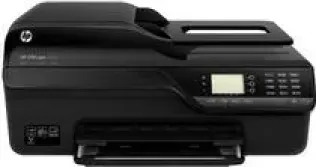
HP is one of the largest companies to provide the various types of printers such as laser printers, photo printers and all-in-one printers, etc. If you want to buy an all-in-one printer, then HP Officejet 4610 is an ideal choice for you. It performs the functions like scanning, printing, copying, and faxing from one single device. This printer works very effectively with less power, because of the ENERGY STAR feature and it consumes very little power, up to 13 watts in printing and 15 watts in copying.
HP Printer Officejet 4610 cartridges
HP 564 Black Ink Cartridge (~250 pages), HP 564 Cyan Ink Cartridge (~300 pages), HP 564 Magenta Ink Cartridge (~300 pages), HP 564 Yellow Original Ink Cartridge (~300 pages)
HP Officejet 4610 Drivers for Windows
0b76a98fe1bbd9470a02007174de9e5aac5dfe1d5b294bccd935ae366bd857caba978dd6146656f1342f9ef52d1eb13bf235500c07450e443221dbbf72e18c8c06c538485cde7dfd2e83942854520f925098df86b180c266d5781c280c62bb0396025048cb017457c9b66cb6a219d6ab7e2d05a84551864480b157a1b65153c165600b3146322a625534e02a701fc04e05403b71f61f358d6358f868ffc1c676HP Officejet 4610 Drivers for macOS
8f24fa0f77e76f4013f26fd7fb8b50a43bcee1cf14873746a0f571d0222a0db29874f88880cef2c9a850473cbe5c8806599eefa2d4a3ed7d6516f93cb6952c4a5188be640448dd582c0ccac046bb06b3f205fefd4f7433fe18aa75dbebc20badHP Officejet 4610 Specifications
1. Processor: Intel Pentium 2, 800 MHz 32-bit, 1GHz 32-bit, Intel Core Duo, Intel Core 2 Duo.
3. RAM: 128 MB, 512 MB, 1GB, 256 MB, 2GB.
1. Print: The speed of this printer is up to 23 pages per minute for black and 22 pages per minute for color. The resolution of this printer is up to 600×600 dots per inch for black and 4800×1200 dots per inch for color.
2. Copy: In this printer, the copy speed is up to 6 cpm for black and 5.5 cpm for color, with a resolution of up to 300×300 dpi for black or 600×600 dpi for color.
3. Scan: The optical resolution of this printer is up to 1200×1200 dots per inch on the scanner glass or 600×600 dots per inch for the ADF.
4. Fax: In this printer, the resolution in faxing is up to 196×203 dots per inch for black and 200×200 dots per inch for color.
Features of HP Office jet 4610:
- TWAIN-compliant interface.
- It has 80 sheets of plain paper in the input
- The duty cycle of up to 3000 pages per month.
Technical Details
| Title | HP Officejet 4610 Drivers |
|---|---|
| Device Type | All-in-one printer |
| Driver Version | Varies by driver and operating system |
| Available Downloads | Drivers |
| License | Free |
| Manufacturer | HP Inc. |