
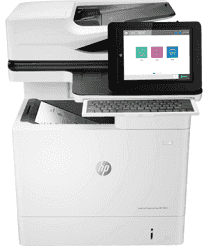
The HP LaserJet Enterprise Flow MFP M634h model can work with the Discrete PCL 6 printer driver, Universal Print Driver (UPD) PCL6/P5 Printer drivers with a driver deployment utility feature. These print drivers are factors that determine the exact speed of the machine, together with the software application and compatible OS versions.
HP LaserJet Enterprise Flow MFP M634h Drivers for Windows
9cd08231b095f52f31e731432c6b10a11522a4639b012760bd90b34d0087de7c97c685b4491f6da00a46cee5cbd6430a41bebbbee014d96ab2313e0c3be99ae0bc4c13197afc2a8c9ed04b1db7c3447a9c2f5d83860a73a1d0e775029ac811b2f553ab1ed9b53b813cf4479bcbf64da595ae91b75188fe9e0c5d23131da58ef8295e4df666fa875808094cc76ae55c09d48cde9bf03432f7eef7830896974bb6c579f0c3e2b15c2cf0ca01a4e202172c2cb8c6cb03bda45aed2d6b0f4af517a994fb9f4a832efdd01ffc16af784c0ad85289fe87d75d0de11ff322566145eec8f60f54f607e9fd0d98b991b0f273a370b1c1112f794d818060416b2a65cf1f9256a177a1871b207548b705683228aa1673d266d2a663ddfa94f7022a12b390b6cc5c7d9a9f83c8f0133c25117e3ec2eddb63bb42f93ef455246cb578202c6e93e012cb0546d69bb5675b4d00e77aaa0c908c9e2aeb7f7aec081a2ee71ef486edeb727293767ac87183406c24c35cea7756c5b4acbcd130e968e6f166c6c95c08bea1ab4fb7079681cb60e7dcc19ffdcaa8f955a7b4c018f4b44c5ff05cf20973b5e03eff7772b8ff14e6bc09e7d3ece79fdc058ac93e597d4de58ea65cd131a1680967e8c32026bc2071ce27a65e55a2e26501f405a8a09c0324f59a974f1cc2252e3bb84737038c907650b13a150fe34cfaddc5810fa8a17e29b0e1e3e49fed9086a918c0d2b80dc034ad79fe64f90fc0fb244fb9ed7af2c3c9e71cf03979831088425bc237bfabaf7ff8fedb6675d2bc6a55836caa899688eda82c404247313e1529cc2cf7f249d20d574f41e6d32f7e9ce1341e11553bec91c6fa19a346632f92fdda886ff61322267491d919546ee90c5c8a688eaf9d89f24a8cde5b5c842f92fdda886ff61322267491d919546ee90c5c8a688eaf9d89f24a8cde5b5c842f92fdda886ff61322267491d919546ee90c5c8a688eaf9d89f24a8cde5b5c84HP LaserJet Enterprise Flow MFP M634h Drivers for macOS
99e1d18847c64a405486ae34424f0a1c8d89920d17df86c45b6b0007f101d70aHP LaserJet Enterprise Flow MFP M634h Specifications
Under ideal conditions, the HP LaserJet Enterprise Flow MFP M634h printer can produce up to 300,000 pages of documents at the best performance level. However, the recommended monthly duty cycle lies within the range of 5000 to 30,000 pages. The machine’s display component is about 8.0 inches in a color graphics display (CGD) with a touchscreen. It can also rotate at an adjustable display angle. Also, it has an illuminated home button for a quick return to the home menu. This machine uses only one print cartridge with several replacement options.
When this machine driver runs out of the main cartridge’s print resource, it can accommodate replacement cartridge options. The replacement cartridge options include the HP 147A Black Original LaserJet Toner Cartridge, which can print up to 10500 pages at best. The machine is also compatible with HP 147X High Yield Black Original LaserJet Toner Cartridge that can print up to 25,200 pages. The final option of a replacement cartridge model is the HP 147Y Extra High Yield Black Original LaserJet Toner Cartridge that can produce up to 42,000 pages.
The compatible print languages in HP LaserJet Enterprise Flow MFP M634h driver include the HP postscript three emulations, HP PCL 5, HP PCL 6, native PDF printing, and the HP postscript level 3 emulation. It can work with two standard paper trays but will work with up to 6 trays at the optimum level. It also supports mobile printing features such as the HP ePrint, ROAM option, Google Cloud Print, and Apple AirPrint.
Paper handling for this machine involves a standard input capacity of 550 sheets of plain paper. It also supports an automatic document feeder (ADF) that can hold up to 150 sheets of plain paper. Again, it also has a multipurpose feeder that can supply 100 sheets.
Technical Details
| Title | HP LaserJet Enterprise Flow MFP M634h Drivers |
|---|---|
| Device Type | All-in-one printer |
| Driver Version | Varies by driver and operating system |
| Available Downloads | Drivers |
| License | Free |
| Manufacturer | HP Inc. |