
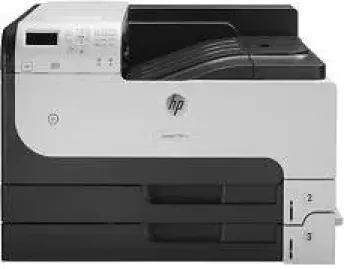
Hewlett Packard is a pioneer in designing and developing efficient bespoke printers. The HP LaserJet Enterprise 700 M712n printer has a similar goal; it proves to be an optimal solution for all the small or home office printing needs. With automatic two-sided printing ability, it saves time and works faster than other printers of this segment.
HP LaserJet Enterprise 700 M712n Drivers for Windows
147dbe8bff621d8736bd40b6c809fb5d06e0ce4b3e2911e0a367caa8bda4e3261e1938e93c462170a0fa5a665557308f62df181f0f59acc3fe0376a7a825977278ef426fd36e1eed80c766cc2a4d53ea725b37b420261ab925ecf6d8d23286fad2f18088da8df16f0017983756626431eeeeddb0e386dd19a223c89e5a6a9c4fce728403422ec1c590fb971561abec94e476484815326373058a39afd61bccc2ffd4461878d45eaec730b237a247946f968fd4a9e51a03d7c49775cefdfbc61aa64a14568e484b3d08f3338dc709287193f7b7cd8f109518b28c3ae0701bc69f822ffbb02f33a5d18f8485b0674c35efc801e8890cf1dde41137c0956a7eed880693173d8d1f6947263cafc7c835af79ba70153feb0bd4453f557497c24c8930037d971359cf89f9333e8ee9616e32b360ad424519b4d9f60f41c63e02b26e4341828dc31c13c10f42f9a3d38f98e3306b0acae2a60b9228f4f8561f6e56e2c8f938a5f1efeb1cfbcc16a16e890240bbc89428f0d5a90a0ecc9b1f35e3983d1074a380a23437c4fefad00a5e8eb4e07567573dcbb0252028ec8cb705964e9a77dbd500b65648de46c47dff9938f43a085dbcc073ea01aedf250a97eff842d8d2df77000f993a4c410689f22ac064f74dbe6f0ed6c034503cdc9934d7c1b8a763HP LaserJet Enterprise 700 M712n Drivers for macOS
8f24fa0f77e76f4013f26fd7fb8b50a43bcee1cf14873746a0f571d0222a0db2e5664e220fb4ec75fc3d57f1901603e2329954ff78eb1994ff795edee59e71c6cba1598dc5d03fbf28fa649dafca5cd251f273066cc3a050966834a73ba66c3eHP LaserJet Enterprise 700 M712n toner cartridge.
HP14A Black LaserJet Toner Cartridge (~10000 pages )
Specifications
Compatibility with various operating systems is essential for every printer. Windows 10 and 8 fully support the printer. A 64-bit PCL6 Universal Print Driver is available for Windows 11. Added to them, Windows 7, Vista and XP are also compatible with it. For Macintosh users with Mac OS X 10.6 and 10.7, the system must have 200 MB of disk space available. The higher Mac OS X versions 10.8 to 10.14 are also fully compatible with the printer.
The innovative technologies embedded into the printer effectively augment its printing ability. These include HP ProRes 1200, HP FastRes 1200 and the HP REt. Added to them, the languages supported by the printer include HP PCL 6, HP PCL 5 and HP PostScript 3.
Regarding conserving power usage, the printer has an auto turn on/off capability. The ENERGY STAR rating certification given to the printer confirms its low power usage ability.
The best print quality of this printer is enhanced to reach up to 1200×1200 dots per inch. Moreover, the printing speed can reach up to 40 pages per minute after printing the first page within 10.5 seconds.
The front panel has a colored display that allows the user to control printing quality and capacity. Another important fact of the HP LaserJet Enterprise 700 M712n is that it can print up to 100,000 pages per month. It has 3 input trays and one output tray. Two out of the three input trays can hold 250 sheets each, and the one output tray can hold 250 sheets.
Technical Details
| Title | HP LaserJet Enterprise 700 M712n Drivers |
|---|---|
| Device Type | Printer |
| Driver Version | Varies by driver and operating system |
| Available Downloads | Drivers |
| License | Free |
| Manufacturer | HP Inc. |