
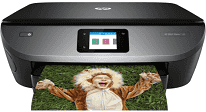
The printer, HP ENVY Photo 7164, is an all-in-one device with a sound impression of a durable machine with optimum productivity. The package contains, apart from the machine itself, some other accessories of notable uses. These accessories include the HP 64 setup black and tri-color instant ink ready cartridges. The black cartridge can print up to 185 pages while the tricolor will do about 120 pages.
HP ENVY Photo 7164 Drivers for Windows
b3372d9d41d7854a1f522143b8c860d4d2a0ffb3ec43feeea3f669ac902cacb9158f76adc091c6ce5bcf1eff21cb01b6382e80b05b2318081969b2339202fe9bcec397f9d5cd4fa0b06732716a579f561d8e2b0c1f18e6ebf63f4b286c771498f50dad657f400372a066f31d5596db54ad4d289fdcdaf11f1209f7c83f8ebfaef50dad657f400372a066f31d5596db54ad4d289fdcdaf11f1209f7c83f8ebfaef50dad657f400372a066f31d5596db54ad4d289fdcdaf11f1209f7c83f8ebfaeHP ENVY Photo 7164 Drivers for macOS
99e1d18847c64a405486ae34424f0a1c8d89920d17df86c45b6b0007f101d70aHP ENVY Photo 7164 Drivers for Linux
dc173d7b548017175b452547b29f8231e58c4302cfc60f9ae19a1ee649357bc3HP ENVY Photo 7164 Replacing Cartridges
HP 64 Black Ink Cartridge (Paper yield ~ 200 pages)
HP 64 Tri-Color Ink Cartridge (Paper yield ~ 165 pages)
Black Ink Cartridge HP 64XL (Paper yield ~ 600 pages)
HP 64XL Tri-Color Ink Cartridge (Paper yield ~ 415 pages)
Other items in the pack include a getting started guide, a media pack, a $25 prepaid card, a setup card, and an ink caution flyer. It also contains a power cord for direct connection to the AC outlet. The standard connectivity options include not only the USB 2.0 hi-speed port but also a Wi-Fi 802.11 b/g/n component. The HP ENVY Photo 7164 printer also uses dual-band Wi-Fi running at 2.4/5 GHz with BLE and SD card usage support.
The color copying compatibility lies with both color and monochrome while it can produce a maximum of 50 copies. The rate of copying is also at 21 copies per minute (CPM) while the resolution is about 300 x 300 dpi. Printing is also straightforward with this device through mobile printing options that make it easier to print. The features such as HP ePrint, Apple AirPrint, Mopria certification, and Google Cloud Print are also useful.
In terms of paper handling, the printer has an input tray that can take up to 125 sheets of plain paper. Furthermore, the same tray can also take up to 40 index cards and up to 5 envelopes. On the contrary, the printer has an output tray that can only hold 25 sheets at once. This device also supports borderless printing on photo paper. The printer measures a height of 159.2 mm, a depth of 503.5 mm and a width of about 453.5 mm.
Technical Details
| Title | HP ENVY Photo 7164 Drivers |
|---|---|
| Device Type | All-in-one printer |
| Driver Version | Varies by driver and operating system |
| Available Downloads | Drivers |
| License | Free |
| Manufacturer | HP Inc. |