
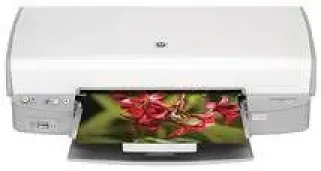
The HP Deskjet D4168 is a beautiful device for China and India with many impressive features. First, the printer model for unique identification is C9068D, and it belongs to the HP Deskjet D4160 printer series. The printer is capable of panoramic printing of photos with or without borders.
HP Deskjet D4168 Drivers for Windows
5d439540649e819cb4c5f2cf5a263c060ff4795da8854ecc31350be049fd8fc0729b83e7987a9d9fdca9bec62377582691eb84eb70a1b50fb216e92384c34acace3f0be54b403737e5deb48d0caf0be455057766812cd667ec4fa57fa841ac3d94ff892c6a625a4c48fe5fc38578f869d6baaee4b7828953841b49bd7e360f6266539ab230ac17c2f0459c4dccd03382b9ba08c29daf37fd17546f8de5017ed4HP Deskjet D4168 Drivers for macOS
9fb2e0f4399655e6db9d6b056f9b744e9540193e400e34f635bf8362ae3371e7acb2ea907e364ee42c66c21fed0a4c8703fba725847bf2e62f349e8d30987988HP Deskjet D4168 specifications
The printer is quite capable of borderless printing on photo paper while printing photos or brochures by using the entire page. It is also capable of six-ink upgradeable printing which promotes the photo printing with a specialized photo print cartridge as an external accessory. More so, this printer can run an ink backup feature that continues to print on one print cartridge if the other print cartridge runs out of ink.
Users can also print photos from digital cameras, USB flash drives or an external card reader because all of these have ports on the device. The printer not only has a standard hi-speed USB 2.0 port on the rear side, but it also adds another USB port on the front. However, to use the frontal USB port, the user will need to install the HP Photosmart software on the system.
Users can then plug in the camera or flash drive through the frontal USB and print photos by using the HP Print Photosmart software. The printer also has the HP Vivera Inks feature that produces real-life images of exceptional quality that are resistant to fading. The individual inks have a unique chemical formulation and have approval for quality, standard purity and fade resistance.
Printing with this device depends on the print mode such as the fast normal, fast draft, normal and best styles. Another crucial factor in determining the rate is the complexity of the document in print or the printer model. Also, one can take note of whether the printing is in color or monochrome.
Technical Details
| Title | HP Deskjet D4168 Drivers |
|---|---|
| Device Type | Printer |
| Driver Version | Varies by driver and operating system |
| Available Downloads | Drivers |
| License | Free |
| Manufacturer | HP Inc. |