
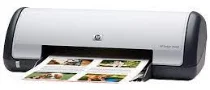
The HP Deskjet D1468 belongs to the series D1400. The printer comes with easy handling operations and a user-friendly environment. It gives an opportunity to have a fast printing device with excellent quality. The printer can be used in offices and homes.
HP Deskjet D1468 Drivers for Windows
901f2e27196a8742f3af3208d78330d1f66cb458aa60132304a1391ac8252531433a2f1e3cc02acb635d5fa56bc03cb80bf6054fd9e1e19e31e922f0c8afdd3a1e9da68d1fe6bb3cc93cddebb7c8ea6f58ffb7990aa341f02d1695e30577ca5976d740509fee2dd5729e08b30f8adcb2e98b905a940d5970f8e0d88a9eb023720a105758d2cdd2b0ff639e95c6628a8e776d7a50f29346025fdc3bea14d6b747HP Deskjet D1468 Drivers for macOS
b43f02c0270dade7cc28073eb01182a81c22aa7c8208e22344b843105200af02666ad4ba15b14742461877dc6e5b3a2560fb0ccf6f516511d16fa3e9f9287ffbfb90540090a69cc1c725411284469b44e8a7d3c3cf88b52de53ef3b9dccb833eHP Deskjet D1468 cartridges
HP21 Black Inkjet Print Cartridge (~190 pages), HP 22 Tri-color Original Ink Cartridge (~165 pages)
The printing speed varies according to the system configuration, software program, document type or complexity. But the relative speed is 16 ppm for black color and 12 ppm for colored pages on plain paper. The photo printing speed is 48 seconds for the first one. After the first photo, the speed increases gradually.
The printing resolution is 300×300 dpi for the fast draft plain paper. For fast normal/ plain paper the resolution is 600×600 dpi. For best inkjet paper the printing resolution is 1200×1200 dpi. Hence the maximum resolution of the HP Deskjet D1468 is 1200×1200 dpi.
The color resolution for plain paper is 600×300 dpi minimum and 4800×1200 dpi maximum. For photo printing, the color resolution is automated and up to 4800×1200 dpi.
A point to remember is that if you are printing in 4800×1200 dpi, whether it is photo or paper, the hard drive space must be ample enough to process the data.
The minimum OS requirement is Windows 2000, Windows XP, Windows Vista, and 7. The processor requirement is an Intel Pentium II 233MHz or higher for XP and 2000. For Vista and 7, it is 800 MHz and 32-bit processor minimum. The RAM must be 128 MB for 2000 and XP AND 512 MB for Vista and 7. But it is often recommended to have a RAM space of 256 MB or higher.
In Mac OS, the minimum OS requirement is Mac OS X10.3.9 or later. The processor must be a G3, G4, G5, or Intel Core Processor. The minimum RAM requirement is 128 MB.
Technical Details
| Title | HP Deskjet D1468 Drivers |
|---|---|
| Device Type | Printer |
| Driver Version | Varies by driver and operating system |
| Available Downloads | Drivers |
| License | Free |
| Manufacturer | HP Inc. |