
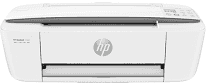
The power supply of HP DeskJet 3722 is through a universal power adapter that allows between 100 and 240 volts. At the same time, the power consumption depends on the mode of operation. In this way, the expenditure for the standby mode is about 2.2 watts while that of the sleep mode is 0.69 watts. At the same time, the power usage when the printer is off is about 0.06 watts.
HP DeskJet 3722 Drivers for Windows
2bb42bc15cc22ef5f82ea776328e3506f9f438ba31864dc5f04f6f2ba87989c22bb42bc15cc22ef5f82ea776328e3506f9f438ba31864dc5f04f6f2ba87989c23401fe2111c03c5c77230dc47e2e995aba70d04bfb7105ed8f9c964984f54c57d73c6d795416647041cfce0d4e52a679c54b62847d12886f5c7612791c75967037bccb1ab98b0942032ad3e26300ab137ca027c90d380fbd40dbd18e974feeeed2f18088da8df16f0017983756626431eeeeddb0e386dd19a223c89e5a6a9c4fce728403422ec1c590fb971561abec94e476484815326373058a39afd61bccc23fde19a1986c28b034d1b038221e9e116c8c5d01e533ee77df54c884b60526a4HP DeskJet 3722 Drivers for macOS
99e1d18847c64a405486ae34424f0a1c8d89920d17df86c45b6b0007f101d70a59b2fee7b93ae82ab9b1587a49540267a8d5445f4904ce635366bcafba56dd33The black printing has a resolution up to 1200 x 1200 dots per inch (dpi) when printing from a computer. On the other hand, the color print resolution is about 4800 x 1200 optimized dpi on HP Premium Plus photo papers. In the color printing case, the required input resolution is 1200 x 1200 input dpi. The printer, at the same time, runs a drop on demand thermal inkjet technology with HP PCL3 GUI emulation language.
The speed of the printing with this device for black and white at the draft mode is about 19 ppm. On the other hand, black print is at a rate of 8 ppm at the ISO mode. For color printing, however, the rate is just 15 pages per minute and 5.5 ppm at the ISO mode. The duty cycle that this machine can do is up to 1000 pages in a single month with a manual duplex feature too. Copying specifications include the digital image processing technology and a production of 9 copies from an original document.
At the same time, the printer also has a reduce to page and fit page feature with attractive rates. The speed of this copy process is four pages per minute (ppm) for monochrome and 2.5 ppm for color copies. The scan type that applies to this machine is a single-type document feeder. However, this component runs at a speed that depends on the complexity of the document in print.
Technical Details
| Title | HP DeskJet 3722 Drivers |
|---|---|
| Device Type | All-in-one printer |
| Driver Version | Varies by driver and operating system |
| Available Downloads | Drivers |
| License | Free |
| Manufacturer | HP Inc. |