
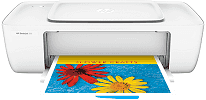
If you need an all-in-one multifunction printer, then HP DeskJet 1111 is for you. It is the best product of HP Company with a product number of K7B88D. The other members of this series are HP DeskJet 1110 and HP DeskJet 1112. Due to its sleek design, this printer can easily be installed in a small area. It offers printing function with USB connectivity, or it works well in less power with energy star mode.
The HP DeskJet 1111 driver supports numerous Windows operating system versions. For this printer, supported versions are Windows 10, 8, 7 with the 1GHz processor or 1 GB RAM. And other versions are Windows Vista and Windows XP with minimum 800 MHz Processor or 512 MB RAM. It supports Mac or Linux operating system which includes OS X v10.11, 10.10, 10.9, 10.8 and libusb 0.1.8 or higher, etc.
HP DeskJet 1111 Drivers for Windows
0706e632bcdf9eb3a64bc51b75fb959129622014b1befeeecf5b5c9da1ecb1cb44f07c33b807b17630db9e6e2ad0661b998a2c917d8c0a71d8bcc90557e82a7371e4b258db6ee5c735d9aa3c68f6d15ab9b52daacbcfea7f1c17374c355ef0118fe96839fb03a92c23f000c20859cdf8268625cb1cd12d1abf7f1734b1bd53819cf8c3a44a95bc3b93abc67cd5a38c133f6ca259afd76f07396c5810e34a3c51a4d5272029ec44a3a3eb879d14232d2852c06fe1ee19e3b9486c3d491245fc57a4d5272029ec44a3a3eb879d14232d2852c06fe1ee19e3b9486c3d491245fc57a4d5272029ec44a3a3eb879d14232d2852c06fe1ee19e3b9486c3d491245fc57HP DeskJet 1111 Drivers for macOS
99e1d18847c64a405486ae34424f0a1c8d89920d17df86c45b6b0007f101d70aHP DeskJet 1111 cartridges.
HP63 Black Ink Cartridge (~190 pages), HP 63 Tri-color Ink Cartridge (~165 pages)
Its dimensions are 9.5×16.69×7.49 inches with a weight of 2.06 kg, which makes this printer work very effectively. HP printer DeskJet 1111 runs on 25 watts of maximum power with an input voltage of 100 to 240 and a frequency of 50/60 Hz. For installation of the HP DeskJet 1111 driver file, you need 2 GB of free disk space available in the Windows operating system.
It has a monthly duty cycle of 1000 pages and uses thermal inkjet technology for printing. Resolution varies according to different modes, which include draft, normal, print-best, photo-best and max dpi. HP printer DeskJet 1111 resolution in draft mode is 300×300 (dpi) dots per inch for both color and black text.
With the processing method of the digital image, it can Zoom a document from 25 to 400% and up to 99 copies from the original document. The resolution in normal mode for both black or color stands at 600×300 (dpi) dots per inch. HP DeskJet printer 1111 depth of color is around 24-bit color and 8-bit grayscale with a resolution of 1200×1200 (PPI) pixels per inch.
Technical Details
| Title | HP DeskJet 1111 Drivers |
|---|---|
| Device Type | Printer |
| Driver Version | Varies by driver and operating system |
| Available Downloads | Drivers |
| License | Free |
| Manufacturer | HP Inc. |