
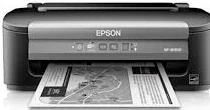
One of the fascinating features of the Epson WorkForce WF-M1030 printer model is its work speed that reaches up to 34 pages per minute (ppm). It also uses the drop-on-demand inkjet technology with a micro piezo print system. Besides, the maximum print resolution is up to 1440 x 720 optimized dots per inch (dpi). Its compatible printer language is the Epson ESC/P-R with a minimum ink droplet size of 3 picolitres (pl) through the three droplet sizes.
This combo package contains
- Printer Driver
- Epson Software Updater
- Network Installer
Epson WorkForce WF-M1030 Drivers for Windows
e4f6ce58131333510418bc0dceffb52597c0496c5d2be0cc9f6f679f2d4072c74ea0bf1821f113f99ec6041077d6fe8b50fe36b610d253c44c6a3bdda4692e9a2f14304dcb88aa301e65f49c24ed85bff535d72f5e7594431d5bc003aacc10f3Epson WorkForce WF-M1030 Drivers for macOS
e43e9a621d6bdc2ea0173ac0bcd70ad8b48b170c7cc7a19e14100e0fe94c4c415546c857e0b9488b4e6314fb50f476048f8dd8c13db7da08dffad99d7c168a6b5fb63cd6798ff640e46d8b575bfc1452b82f97b571ca3d64936fa651638727f32913a063b44b69a726caf9baa787fbf9baad47cdd65a848dd157da3af92f6895Epson WorkForce WF-M1030 Specifications
The standard connectivity options are a hi-speed USB port, wireless connectivity (802.11 b/g/n), and an Ethernet 10/100 LAN component. It is compatible with Windows 8, Windows 7, Windows Vista, Windows XP SP3, and Windows XP Professional x64 Edition. On the other hand, apart from Windows OS, this machine is also compatible with Mac OS X 10.5.8 to 10.8.x. Its PC-free paper support comprises plain paper and photo paper of standard and custom sizes.
Related Printer : Epson WorkForce WF-7110 Driver
The standard paper sizes include photo paper sizes, A5, A6, half letter, executive, user-defined sizes, and executive sizes. However, the standard paper types include plain paper, Epson Bright White, Brochure & Flyer paper, Ultra-Premium Presentation paper matte, and presentation paper matte. Others include photo quality adhesive sheets, iron-on cool peel transfer paper, and matte scrapbook photo paper.
In terms of the machine’s paper holding capacity, the input paper tray can hold up to 100 sheets of plain paper or ten envelopes. It also has manual duplex printing for both sides. In the print environment, the machine supports an operating temperature range between 10 and 35°C. But when the device is in storage, the recommended temperature range is between -20 and 40°C. However, the relative humidity is between 20 and 80%, with no condensation for operations. Simultaneously, storage humidity should be between 5 and 85%.
Technical Details
| Title | Epson WorkForce WF-M1030 Drivers |
|---|---|
| Device Type | Printer |
| Driver Version | Varies by driver and operating system |
| Available Downloads | Drivers |
| License | Free |
| Manufacturer | Seiko Epson Corporation |