
Printer Drivers » Drivers » Printer » Epson » Epson WorkForce Pro WF-4630DWF Driver Download

Epson WorkForce Pro WF-4630DWF Driver Download

Epson WorkForce Pro WF-4630DWF Driver

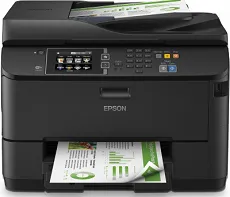
Printing with the Epson WorkForce Pro WF-4630DWF works through the PrecisionCore print head that is an integral part of the overall printing technology. The machine also has the DURABrite ultra ink technology to enhance further its capacity to produce an optimum print documents level. The nozzle configuration in this device includes 400 nozzles for black and 400 nozzles for color printing. And the minimum ink droplet size remains at 2.8 picolitres (pl) on average. Hence experts regard this machine model as a home or office desktop printer.

Epson WorkForce Pro WF-4630DWF Driver for Windows

Supported OS: Windows 11 (64-bit), Windows 10 (32-bit), Windows 10 (64-bit), Windows 8 (32-bit), Windows 8 (64-bit), Windows 7 (32-bit), Windows 7 (64-bit), Windows Vista (32-bit), Windows Vista (64-bit), Windows XP (32-bit), Windows XP (64-bit)
Printer Driver for Windows 32-bit(Recommended)
Supported OS:Windows 10, 8, 7, Vista, XP 32-bit
21.71 MB
Scan Driver for Windows 32-bit and 64-bit
Supported OS:Windows 11, 10, 8, 7, Vista, XP 32-bit and 64-bit
37.78 MB
Document Capture for Windows 64-bit
Supported OS:Windows 10, 8, 7, Vista, XP 64-bit
25.07 MB
Universal Print Driver for Windows 32-bit and 64-bit
Supported OS:Windows 11, 10, 8, 7 32-bit and 64-bit
54.11 MB
Standard Business Printer Driver for Windows 32-bit and 64-bit
Supported OS:Windows 8, 7 32-bit and 64-bit
27.58 MB
Scan patch for user interface for Windows 64-bit
Supported OS:Windows 11 64-bit
10.53 MB
Scan Updater for Windows 32-bit and 64-bit
Supported OS:Windows 10 32-bit and 64-bit
733.95 kB

Driver and Software for Mac OS

Supported OS: macOS Sonoma 14, macOS Ventura 13, macOS Monterey 12, macOS Big Sur 11, macOS Catalina 10.15, macOS Mojave 10.14, macOS High Sierra 10.13, macOS Sierra 10.12, OS X El Capitan 10.11, OS X Yosemite 10.10, OS X Mavericks 10.9, OS X Mountain Lion 10.8, OS X Lion 10.7, Mac OS X Snow Leopard 10.6, Mac OS X Leopard 10.5
Printer Driver for macOS
Supported OS:macOS 10.5 to 14
91.69 MB
Scan 2 Driver for macOS
Supported OS:macOS 10.5 to 13
26.16 MB
Scan Driver for macOS
Supported OS:macOS 10.5 to 10.12
29.47 MB
ICA Driver for macOS
Supported OS:macOS 10.5 to 11
23.55 MB
Uninstall Center for macOS
Supported OS:macOS 10.15, 11
1.17 MB
Scan Common Updater for macOS
Supported OS:macOS 10.5 to 10.12
42.27 MB
Scan Patch for macOS
Supported OS:macOS 10.5 to 10.11
1.18 MB

Specifications

As a multifunction printer, it is capable of printing, scanning, copying, and faxing documents. Besides, this machine can produce up to 30,000 pages of top-notch papers in a single month. Scanning with the device has an optical resolution of 1200 x 2400 dots per inch (dpi). The output formats include JPEG, TIFF, and PDF, while the scanner type is a contact image sensor (CIS) element.

Faxing with Epson WorkForce Pro WF-4630DWF model uses the walk up monochrome or color faxing ability. This component produces a transmission speed of up to 33 kbps, which is approximately 3 seconds per page. It also has the error correction mode, including the CCITU/ITU Group 3 fax. This mode can also accommodate up to 200 names and numbers stored inside the memory. Therefore, this page memory reaches up to 550 pages of 6 MB space.

In paper handling, the device supports various examples of standard paper sizes. The options include the A4, A5, A6, B5, C4/DL/C6/#10 envelopes, photo sizes, and custom sizes. It has an extra automatic document feeder (ADF) that can accommodate 35 pages of documents. It supports a paperweight within the range of 64 and 256 gsm and both simplex and duplex printing. Download Epson WorkForce Pro WF-4630DWF driver from Epson website