
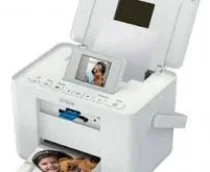
The Epson PictureMate PM235 printer model has physical dimensions that include a width of 231 mm, a depth of 169 mm, and a height of 149 mm. The net weight is about 2.2 kg while using the hi-speed USB connectivity for standard USB protocols. Its LCD screen is about 2.5 inches in size, with a tilt adjustment. The card slots are compatible with CF Type II, memory stick, SC/MMC, and an XD-picture card with a PictBridge port for camera connection.
Epson PictureMate PM235 Drivers for Windows
32a4cddaf29a13ac598315b924a06879930b1f9c4c12135a500f934368344f286084df15f30198c018e6ad7bb4b54cae2ddf41b4f09fb208f2b68e5b00023006d1bf115803a3e9efdbeb070ffc3d57f4cacdd304d58ac8cb7bb92b48be0d0690Epson PictureMate PM235 Drivers for macOS
42b20f30143477a67515026c87fe90c851c4386685d28e7384e1bb0f93fa2bc68594c9b561363e5b0899599bcaee397a6edb4b2a0c85d1d800e922d2dd1e1236e0c23946f919bcdad32813519873f2c5b6056d263ca5fe31c300b62709eee483Epson PictureMate PM235 Specifications
At first glance, one will see that the machine has an impressive design as a picture printing device with a print-on-demand piezoelectric inkjet technology. This technology also has the piezoelectric feature, while there are 90 nozzles each for the color combinations. The color options include black, cyan, magenta, and yellow. While printing on a 10 x 15 cm size photo paper, the print rate is 37 seconds at the draft and borderless print mode.
Printing with the Epson PictureMate PM235 model can also produce a resolution of up to 5760 dots per inch (dpi). This maximum print resolution is attainable despite the variable-sized droplet technology and using the Epson PictureMate photo paper. This paper supports a high level of print quality and great speed. The paper loading capacity of this machine is 20 sheets of photo paper. However, the supported paper types include the Epson PictureMate Photo paper, Premium photo paper, and the Glossy photo paper.
The compatible operating system versions include Windows 7, 7 x64, Vista, Vista 64, XP, XP x64, and 2000. Apart from the Windows OS, Epson PictureMate PM235 is also compatible with the Mac OS 10.3.9 or the later versions. A particular application for this device is an Epson creativity suite in terms of the Epson Easy Photo Print, an online guide.
Technical Details
| Title | Epson PictureMate PM235 Drivers |
|---|---|
| Device Type | Printer |
| Driver Version | Varies by driver and operating system |
| Available Downloads | Drivers |
| License | Free |
| Manufacturer | Seiko Epson Corporation |