
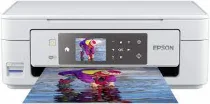
The Epson Expression Home XP-455 printer model contains an Epson Micro Piezo print head. Its printing quality resolution can also reach 5760 x 1440 dots per inch (dpi). This device also comes with 180 nozzles for black printing and 59 nozzles for color printing. The minimum ink droplet size is three picolitres within a variable-sized droplet technology. Users can also take advantage of the Epson Expression Home XP-455 printer driver for compatibility with different OS versions such as Windows and macOS.
Epson Expression Home XP-455 Drivers for Windows
b4335a067a4e23470f27ece848bf2b9da79ff3a94508a5885baf429fa5ffdd6e8b88cbc4344972c0b271f73471c13f9924c6404f1ffb3e00f94670d27c6736173c1315a097180131fe5fa04e1c6c0fcc6ebc77ddc6b81ed06d3e152c2fcb63aee296b0dd6f562045ca62037185b78ea08935c2397617465e6551a239e6f13b6cfa5b5b16613222e7e58b0e6ee417a15601df4dd00148222a8095908bcf3fc4feEpson Expression Home XP-455 Drivers for macOS
b895fe9e540c58aa962d84586b2bec682d67cd9c8d35690010a3e570044e2bd2eff5be8fe4194739fb620fa6a7e53ce3a27a4c2ba7a1c6d212d7981c717e4e3b90071b11984600791b1ab1b58f654ee83a3a90fed5e5b6be2162f41461badfc7Epson Expression Home XP-455 Specifications
According to the ISO/IEC 24734 standard printing mode, printing has a rate of 10 pages per minute (ppm) for black documents. The color printing has a rate of 4.5 ppm for cyan, magenta, and yellow. Also, when using Epson Premium Glossy photo paper, the borderless print rate is 38 seconds per photo paper. But the rate of monochrome printing on plain paper is about 33 ppm, and the color print rate is 15 ppm.
Scanning with this device has a single-sided scan speed of 2.4 milliseconds per line for black pages of A4 paper size. On the other hand, scanning on A4 in color has a rate of 9.5 milliseconds per line. However, the optical resolution is up to 1200 x 2400 dpi for horizontal and vertical dimensions. It also uses a contact image sensor (CIS) element to produce optimum yield. Meanwhile, the standard media sizes include A4, A5, DL envelopes, A6, A5, letter, and legal.
During standalone copying, the energy use is up to 13 watts, while the sleep modes use 1.6 watts. The recommended range is between 100 and 240 volts at 50/60 Hz in terms of the supply voltage. Meanwhile, the machine has the Epson Easy Photo Print software with several interface connectivity options. At the same time, it can work with various mobile and cloud printing services.
Technical Details
| Title | Epson Expression Home XP-455 Drivers |
|---|---|
| Device Type | All-in-one printer |
| Driver Version | Varies by driver and operating system |
| Available Downloads | Drivers |
| License | Free |
| Manufacturer | Seiko Epson Corporation |