
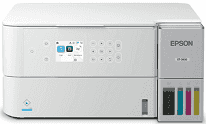
The Epson ET-3930 Driver acts as an intermediary between the computer and the printer throughout the process of setup and normal operations. It helps install the printer through operating systems that work well with it, via either USB or wireless connections. The driver is also responsible for managing printing, scanning, and copying operations; hence, the output is stable.
Epson ET-3930 Drivers for Windows
6438777cc41377646e546c6ba99ea8e67916c9912e94be1f3de90eeb10e32b0c09df30d8c5fadf46ef814ef15cec0e546c0c0164f9b8cd4b3d7eeea5aae533cc1e098ae2418c9e28c6ce9cca8cec7005f712bb654c3360948fc62d46b7103cb47ae9364f5beee7b4aca5ef58412571a5b7c00209480ecf5d4172e8774fa9aac9180a81d0e184fc245546e5f7fc39027736594f04299a08ce50977b13f84b64fe6e5d23c64b3340a3885a44e0f76f2f847b6127f921b153afabf0c72b976e8fd6Epson ET-3930 Drivers for macOS
d93ab692fcd3493c0173155a59dd0f45f22a31bb57e4f54baf6cfa9681353f02f61a6668a26b2505a33c268ce51d198bbc32830e12cbb60840ccd3b535a1954d319026e445ea179b27455527a34f991c0727f85cca0ee32f76c6d5a4406a2a82Specifications of the Epson ET-3930 Printer
This is a wireless inkjet all-in-one printer with the EcoTank refillable ink tank technology. It uses an ink cartridge-free ink supply system by means of Epson EcoFit bottles. The printing process is controlled using PrecisionCore heat-free technology. Print resolution in black is 4800 x 1200 dpi and 1200 x 1200 dpi in color.
Print speed amounts to 18 ISO ppm in black and 9 ISO ppm in color. This printer has an automatic dual-sided print feature. Paper handling is provided with the front-loading tray, with a capability to load 250 sheets of plain paper. Moreover, this printer allows for borderless photo printing on special media, including various photo and letter-size prints.
Wi-Fi, Wi-Fi Direct, and Hi-Speed USB connectivity are provided in order to allow users to configure the printer locally and via the network. Users will be able to print from computers and supported mobile devices once they install the proper driver or Epson software. There is a 2.4-inch color display that is useful for making basic printer settings.
Compact size is 14.8″ wide, 13.7″ deep, and 7.4″ tall when stored. Weight is approximately 12.6 lb without ink and power cable. Such a small printer may be located on the desk or shelf easily. As for daily printing tasks, it can be used for school projects, reports, forms, colored handouts, photos, etc.
Technical Details
| Title | Epson ET-3930 Drivers |
|---|---|
| Device Type | All-in-one printer |
| Driver Version | Varies by driver and operating system |
| Available Downloads | Drivers |
| License | Free |
| Manufacturer | Seiko Epson Corporation |