
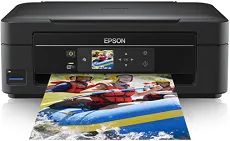
The Epson AcuLaser M2400D model can produce documents that have a maximum resolution of up to 1200 x 1200 dots per inch (dpi). Also, as an office desktop device, it can print the first page of a black and white document in just 7 seconds. In total, the machine can also produce a print volume of up to 50,000 pages in a single month. The device works with the standard USB 2.0 hi-speed port with parallel components concerning the connectivity options.
Epson AcuLaser M2400D Driver for Windows
Driver and Software for Mac OS
Specifications
The machine supports standard paper sizes that include A4, A5, A6, B5, C5, C6, DL envelopes, #10 envelopes, letter, legal and executive. Apart from the standard size, it is also compatible with custom or user-defined sizes. Besides, it supports a paperweight between 60 and 220 gsm while the output tray can hold up to 250 sheets of printed paper. On the other hand, the standard input tray can hold up to 300 sheets of plain paper, while the maximum capacity is 800 sheets.
The machine consumes a maximum reach of 840 watts of power concerning power consumption. In printing, the power usage is about 505 watts, while the ready mode uses 4 watts of power. In terms of the Epson AcuLaser M2400D machine’s physical dimensions, the width is about 378 mm, and the depth is 390 mm. The height is about 255 mm while the net weight is about 11.5 kg, while the supported temperature is between 10 and 32.50C during operation.
Regarding the machine’s relative humidity, the operational range is between 15 and 80%. Furthermore, the device has an internal memory of 32 MB, while the maximum capacity is up to 288 MB. It also supports print emulations such as PCL 5e, PCL 6, ESC/P2, ESC/Page, IBM 2390, and Postscript 3. Download Epson AcuLaser M2400D driver from Epson website