
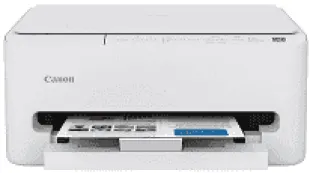
The Canon PIXMA TS4320 Driver lets a computer send print jobs to the printer over USB or Wi-Fi. Once installed, it gives the computer access to the printer’s paper settings and automatic two-sided printing. Wireless setup can use a home network, or a compatible device can connect directly without a router. For photos, choose the matching paper size before sending a borderless print.
Canon PIXMA TS4320 Drivers for Windows
9264bb31db4c93d9fb8d359c7cd1a3d6afc5610dc04bcfdf9981528d8764a936af08860078d9dfd4ab88280d63890955cf9b798d8812c0bf08649058d2632be2Canon PIXMA TS4320 Drivers for macOS
a2a12e31313283450b6d22a2ffa56a79b8a9fcb935398ef221ff430c551796fd8e072643503e0e86e5fa046b4bcf622fa33dfb7c701b030989e6616b16593bfaCanon PIXMA TS4320 Specifications
The Canon PIXMA TS4320 prints, scans and copies using replaceable ink cartridges rather than refillable tanks. Its FINE printhead contains 3,136 nozzles, with 832 for black and 768 for each colour. Pigment black ink comes from the PG-295 cartridge, while the CL-286 holds the three dye-based colours together. Replacing one colour therefore means changing the entire colour cartridge. Physical buttons control the printer without a display, and scanning takes place on the flatbed glass, one original at a time.
Black documents print at about 14 images per minute on letter paper, dropping to nine in colour. The first black page takes approximately 7.5 seconds, compared with 9.5 seconds for colour. Print resolution reaches 1200 × 1200 dpi, and automatic duplex printing turns sheets for two-sided jobs. Borderless photos can extend to 8.5 × 11 inches. The CIS flatbed scans at 1200 × 2400 dpi optical resolution. Copies can be resized between 25% and 400%, with the first colour copy taking roughly 18 seconds.
The single cassette holds 100 sheets of plain paper weighing between 64 and 105 gsm. Photo sheets use this same feed, so changing between documents and photographs requires changing the loaded paper. Common sizes include 4 × 6 and 5 × 7 inches, along with square 5 × 5-inch prints. Larger 8 × 10-inch photos also fit. The cassette accepts letter paper and U.S. No. 10 envelopes. Smaller 91 × 55 mm cards can be loaded too, with glossy, matte and restickable photo papers among the compatible materials.
A computer can connect through Hi-Speed USB or a Wi-Fi network operating at 2.4 GHz or 5 GHz. Wireless Direct provides a connection without relying on a router. Mobile print jobs can be sent using Apple AirPrint, Mopria or the Canon PRINT app. With its covers closed, the printer measures 14.8 × 14 × 6.7 inches and weighs about 11.4 pounds. Canon recommends 500 printed pages per month. Power consumption reaches approximately 21 watts during printing, with operating noise rated at around 47 dB(A).
Technical Details
| Title | Canon PIXMA TS4320 Drivers |
|---|---|
| Device Type | All-in-one printer |
| Driver Version | Varies by driver and operating system |
| Available Downloads | Drivers |
| License | Free |
| Manufacturer | Canon Inc. |