
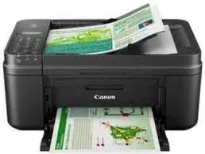
Nothing feels greater in printing than a multifunction device with the ability to print, copy, scan, send, or receive faxes. It also has an operation panel with a full dot display and an automatic document feeder (ADF) with appropriate capacity. The ADF can hold up to 20 sheets of plain paper of A4 or letter sizes. However, if a legal-sized sheet is in use, the ADF capacity is only five sheets. The primary user interface is the USB 2.0 hi-speed port. The acoustic noise level for PC print, when using photo paper, is approximately 44.5 dB (A).
Canon PIXMA MX497 driver Downloads for Microsoft Windows 32-bit – 64-bit and Macintosh Operating System.
Canon PIXMA MX497 Drivers for Windows
381fb5ccfd699efd4741a3bd022db58d7350bdc07bb087df3f7353aed568fa699ee4f3b729df4cac8666930a8972d7332d4dd33015300bdc9bcee1bb65bcf0921288c56e6cf11e595733537a477bbd61f4c248c23633d467d090a65cd301356d8dd427942e8e31c574841b714286f9171dafe7b49dd781ec9b62ff0cc61cf1a415e26104a051d3f79061242bb8114e3d81f35bbe709d14bb07a6284eb01471d0Canon PIXMA MX497 Drivers for macOS
655660b69fd25ef39a1047bd4a057665df9d1f84fe027bd8d3f2574774d9638a715e17190a061a09b35369ec95a17bc905e18b01c9ad07348b5a05850c29737db67ad003f18b2df86a58ba24cfa3fbf93bf2ae87c2b6ff9409bcc75361228407356897504edcc277e495e617499a61444e16c5d1c868d15d655c9c2aea250dec8571b56aa7e8fdb7c9a1f14ff4e53398c5c7504d68190f37624985f2981d2223Canon PIXMA MX497 Drivers for Linux
61f5fbbd4ca23888da4239fea1ef764e8e9324c61a661cfcf5ec26dc90ce4c3b5dd7efa847c275e1cca29e82b25e16af9508eac3aed5bb9565bd6c9377cc2732151b9afe75b083d3686b79c0a2e6ee8f2430cf3f5638a952a460d9c1a78aba03c891e5162a6b088e74eed98344cad1c12f8d02af0b8667eb2de8e27ade02ad95097d62a1fcf57302e01a7621b895577915fce6d87f9df5168bcd80400701cb5d1ed3af6511322ca050d45573869467ee12c0a2772d5ae80758e9fc2a0ca5b26aCanon PIXMA MX497 Supported Ink Catridges
Cyan, Yellow, Magenta Colors Ink Cartridges CL-746, Ink Cartridge Pigment Black PG-745
Another exceptional quality of this Canon PIXMA MX497 machine is its mobile compatibility with many exciting features. Some of such functions include Apple AirPrint, Google Cloud Print, PIXMA Cloud Link, PIXMA printing solutions, and Access Point Mode. When the machine is in operation, the supported temperature is between 5 and 35°C and condensation within 10 and 90%. However, when the device is in storage, the supported factors include a temperature between 0 and 40°C. Also, during storage, the relative humidity is between 5 and 95% with no dew condensation.
When considering the power specifications of this Canon PIXMA MX497 machine, the supported voltage is between 100 and 240 volts at 50/60 Hz. On the other hand, the power consumption depends on the current mode of the printer. For instance, when the printer is in the ‘off’ mode, the machine uses 0.3 watts. In standby mode, the printer uses about 0.9 watts while copying requires about 7 watts of power.
This machine has Energy Star and EPEAT ratings for RoHS (EU, China) and WEEE for the EU only. It can also produce a duty cycle in the tone of up to 1000 pages per month. Whereas the width of the device is up to 435 mm, and the depth is 295 mm. It has a height of up to 189 mm while the weight is about 5.9 kg.
Technical Details
| Title | Canon PIXMA MX497 Drivers |
|---|---|
| Device Type | All-in-one printer |
| Driver Version | Varies by driver and operating system |
| Available Downloads | Drivers |
| License | Free |
| Manufacturer | Canon Inc. |